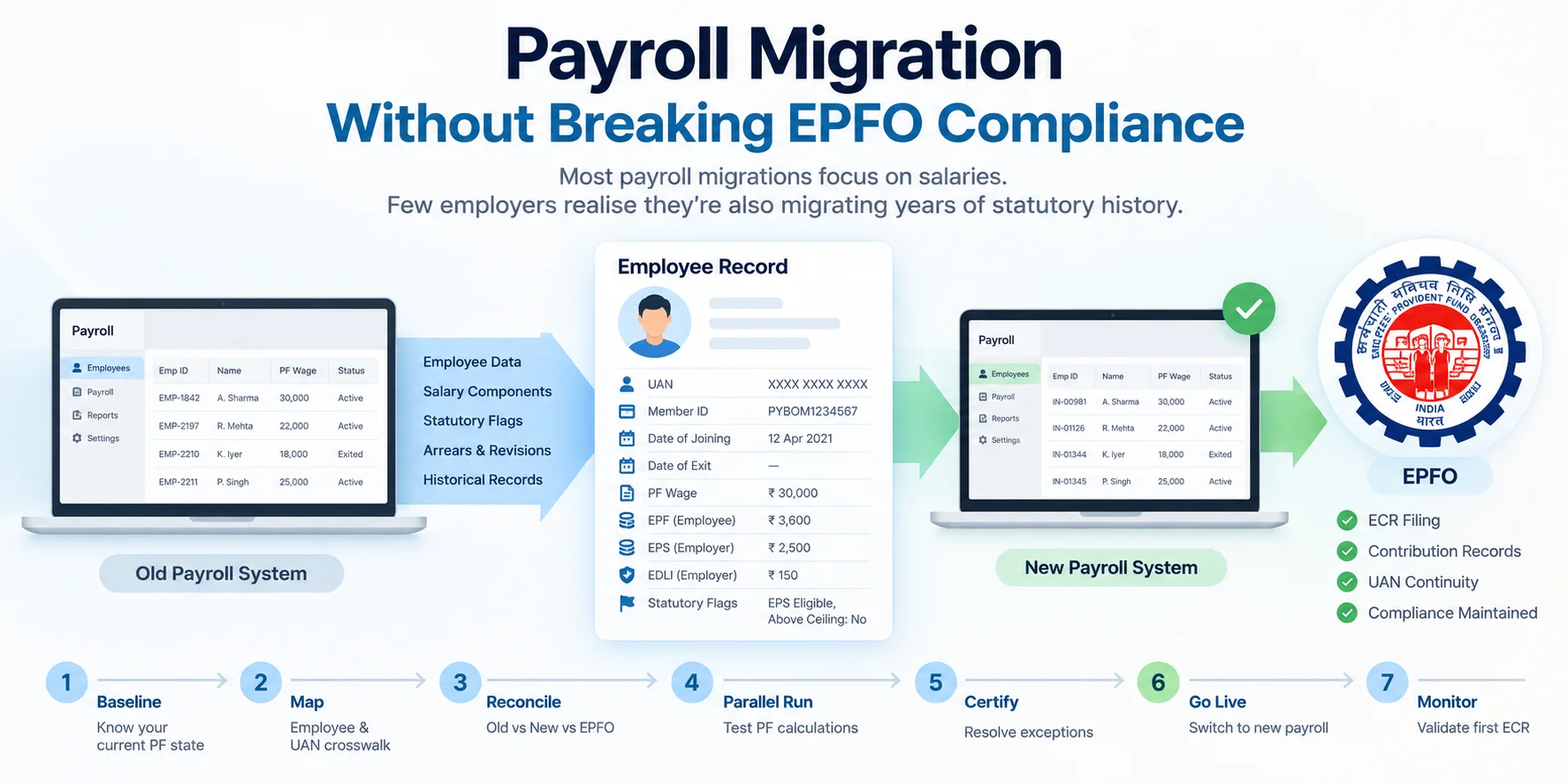
Changing payroll software doesn't reset an employee's UAN or EPFO history. What it changes is the system that generates their future PF records. Most migration errors come from three things a standard import doesn't carry:
- per-employee statutory flags;
- the rules that applied in past wage months;
- the records that explain earlier filings.
Each of these can produce a wrong contribution without triggering a validation error.
This guide covers what to map, what to test, when to cut over, and how to confirm that the first ECR from the new system is right.
Quick answer: what should employers check in a payroll migration?
- Map identity. Every employee needs exactly one row linking old payroll ID, new payroll ID, UAN, member ID, date of joining and date of exit.
- Migrate statutory flags. Carry EPS eligibility, contribution above the wage ceiling, age-58 EPS cessation, international-worker status and excluded-employee status, each with its effective date.
- Archive the explanations. Wage-component registers and arrear calculations have to come from the old system, because EPFO doesn't hold them.
- Run a parallel month. Use the same inputs in both systems and explain every employee-level difference.
- Validate the first live ECR before approving it.
What changes in a migration, and what must not
| Record | Treatment |
|---|---|
| Payroll employee ID, pay codes, department codes | May change. Record every old-to-new link in the crosswalk. |
| UAN and member ID | Existing identity. Carry it over and validate it; never regenerate it. |
| Date of joining / date of exit | Historical employment record. Carry over and validate. |
| Form 11 declarations | Keep on file. EPFO's Form 11 is marked to be retained by the employer for future reference. |
| Statutory flags | Migrate explicitly with effective dates (see below). |
| PF wage rules, EPF/EPS/EDLI logic | Re-build and test. |
| Arrears and revisions | Test against the rules for each wage month. |
A new payroll ID is not a new EPFO identity. Treating it as one is how migrations create duplicate UANs. See Form 11 for Employers.
Build the employee and UAN crosswalk
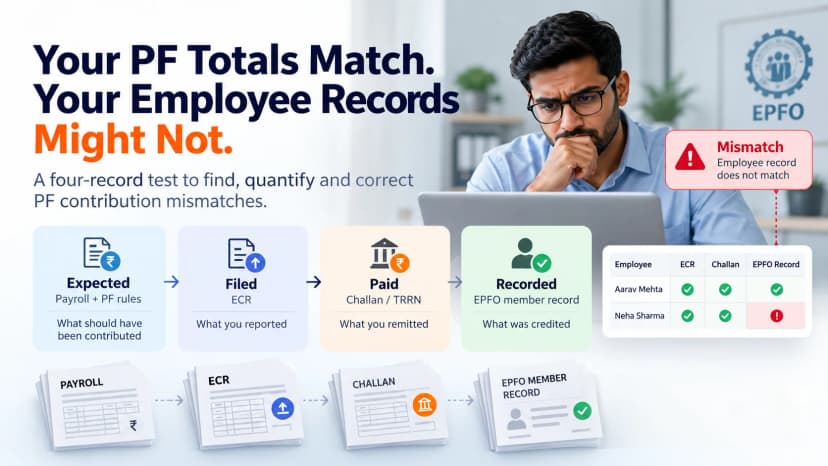
The crosswalk links the old payroll record, the new payroll record and the EPFO identity. It is the most important file in the migration. Include every active employee and everyone who left in the last 12 months, because their exits and full-and-final settlements may still touch PF.
| Old ID | New ID | UAN | Member ID | DOJ | DOE | EPS eligible | Above-ceiling opt-in | Status |
|---|---|---|---|---|---|---|---|---|
| EMP-1842 | IN-00981 | XXXX | XXXX | 12-Apr-2021 | — | Yes | No | Ready |
| EMP-2197 | IN-01126 | XXXX | XXXX | 03-Jan-2023 | 30-Jun-2026 | Yes | No | Ready |
| EMP-2210 | — | XXXX | XXXX | 17-Feb-2024 | — | No | Yes | Exception |
Every row must pass four checks:
- One old record maps to exactly one new record.
- One employee maps to one UAN.
- DOJ, DOE and active/exited status match across both systems.
- Flags match.
Any failure is logged as an exception with an owner. Never overwrite the source record to clear an exception.
The statutory flags imports miss
Names, UANs and salaries migrate easily. Statutory flags often sit in the old system's configuration rather than in the employee master, so a clean import can drop them without any error.
| Flag | What breaks if it's lost |
|---|---|
| EPS eligible / excluded | Wrong EPS/EPF split and an understated pension record. EPF members earning ₹15,000–₹25,000 who were EPS-excluded became EPS members from 17 September 2026, subject to conditions, so a migrated old flag keeps them out. |
| Contribution on wages above the ceiling | The contribution is silently capped at ₹25,000 when the employee and employer had opted for actual wages, or the reverse. |
| EPS cessation at age 58 | EPS continues past 58, or stops early. |
| International worker | The ceiling is applied when it shouldn't be. |
| Excluded employee | The employee is wrongly added to, or left out of, the ECR. |
| Effective date of each flag | Arrears for past months are calculated using today's flag. |
Worked example: a lost opt-in flag
The employee's Basic + DA is ₹30,000, and the employee and employer had opted to contribute on actual wages.
| Employee EPF | |
|---|---|
| Old system: 12% × ₹30,000 | ₹3,600 |
| New system: opt-in not migrated, capped at ₹25,000 | ₹3,000 |
Payroll totals look normal. This employee's contribution has dropped by ₹600 a month without anyone deciding it should. Only an employee-level comparison catches it. For the EPS side of this problem, see Employer EPS Errors.
Archive what EPFO doesn't hold
EPFO holds what you filed. Only your old payroll system holds why you filed it.
Your filed returns and payment status can generally be retrieved from the EPFO employer portal, as long as you control the login. The working records behind them disappear when the old vendor contract ends. Before decommissioning, export:
- wage-component registers by employee and month;
- arrear and revision calculations;
- flag history with effective dates;
- correction working files and EPFO correspondence;
- open-case details.
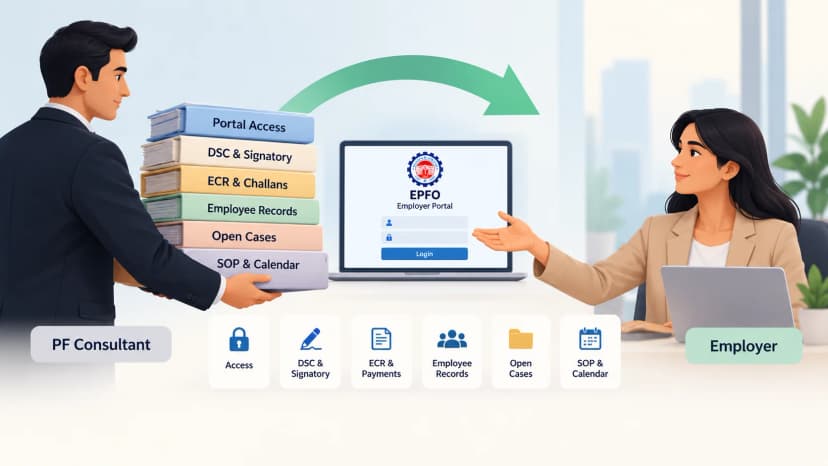
If a consultant is changing at the same time, secure portal access first. See PF Consultant Handover Checklist.
Migration phase gates
Don't move to the next phase until its gate is met.
| Phase | Gate: must be true to proceed | Evidence |
|---|---|---|
| Baseline | Old system's PF output for the last 3 wage months exported per employee; rules and flags documented | Baseline file |
| Map | Every crosswalk row passes; zero open UAN conflicts | Crosswalk + exception log |
| Rule-history test | Three arrear runs match the rules in force for their wage month: one before 17 Sept 2026 (₹15,000 ceiling), one for September 2026 (split month), one for October 2026 (₹25,000) | Test results |
| Parallel run | At least one full month on identical inputs in both systems; every employee-level difference explained and approved | Exception report with approver |
| Go-live | No critical exception open; old system kept read-only | Sign-off |
| First live ECR | Population, flags and EPF/EPS/EDLI reviewed before approval; challan and TRRN matched; at least 10% of employees sampled against EPFO records | Review record |
The rule-history test matters right now. Wage months before 17 September 2026 use the ₹15,000 ceiling, and September 2026 is calculated in two periods within one ECR. A new system configured only with today's rules will miscalculate arrears for those months. See PF Contribution Mismatch.
The parallel run passes when every difference is explained, not when there are no differences. A deliberate policy change can legitimately change the result.
Get the crosswalk and flags checked before go-live: book a migration review →
Cutover rules
| Rule | Why |
|---|---|
| Cut over at a wage-month boundary | A mid-month switch splits one ECR across two systems. |
| Avoid a month with a rule change or large arrears | It is hard to separate migration errors from legitimate changes. |
| Run each leaver's full-and-final settlement in one system only | Settlements split across systems are where exits go unmarked. |
| Keep the old system read-only until the first live ECR and one full quarter reconcile | It is your only source for explaining differences. |
Common migration failures, and where to fix them
Migration finds the exceptions. Each one is resolved through its own correction process.
| Failure | Typical cause | Fix it here |
|---|---|---|
| Duplicate UAN | New payroll ID treated as a new member | Duplicate UAN for Employers |
| Wrong date of joining | Master-data mismatch in crosswalk | DOJ Correction |
| Wrong or missing date of exit | Exit or settlement processed in the wrong system | DOE Correction |
| Contribution differs | Lost flag, wrong wage-component mapping, wrong ceiling for the month | PF Contribution Mismatch |
| ECR rejected or filed wrong | Format or validation issue in first live return | ECR Filing Mistakes |
| Same error across many employees and months | Systemic rule error, possibly pre-dating the migration | Historical PF Errors |
| One fix affects other records | Linked DOJ, contribution and EPS records | PF Correction Dependencies |
Frequently asked questions
Does changing payroll software affect UAN or PF balance?
No. A payroll change doesn't move, reset or regenerate a UAN or an EPFO balance. The risk is in future contributions the new system calculates, and in losing the records that explain past ones.
What PF settings don't transfer automatically when switching payroll software?
Employee-level statutory flags often don't: EPS eligibility, contribution above the wage ceiling, EPS cessation at 58, international-worker status and excluded-employee status, along with each flag's effective date. Migrate them as explicit crosswalk columns and test each one.
Should PF arrears for old months be run in the new system?
Only after the new system passes a rule-history test for those months. Arrears must use the ceiling and rules that applied in the original wage month, such as ₹15,000 for months before 17 September 2026.
When is the safest month to switch payroll software?
At a wage-month boundary, in a month without a rule change or large arrears. Run at least one parallel month first.
How long should we keep the old payroll system?
Read-only, until the first live ECR and at least one full quarter after go-live have reconciled. Export wage registers, arrear calculations and flag history before the vendor contract ends.
Before your first live ECR
The new system has proved itself when its first production ECR matches what the old system would have produced, employee by employee, with every difference explained.
Kustodian runs that comparison for you. We review your crosswalk and flags, run the parallel PF calculation, and hand you an employee-level exception report before you approve the first return.
PF Interest Loss Calculator
See how much interest you lose every month your claim sits unresolved.