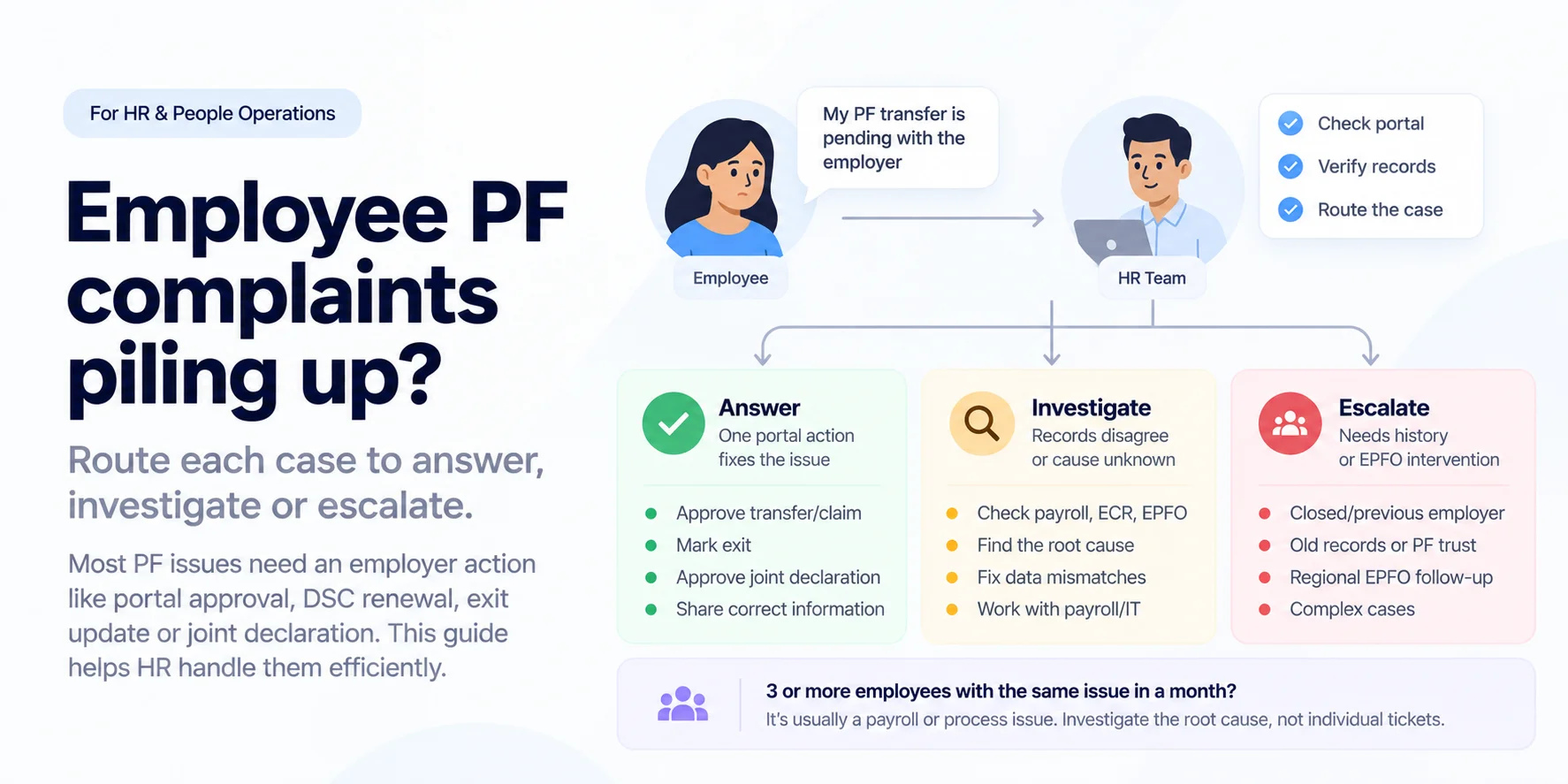
Most employee PF complaints that reach HR are not EPFO problems. They are stuck on something only the employer can do: approve a transfer, renew a digital signature, mark an exit, or approve a joint declaration.
This guide shows HR which PF issues to answer, which to investigate and which to escalate, and when to bring in an expert PF helpdesk. HR keeps the employee relationship without becoming the PF resolution team.
| Question | Short answer |
|---|---|
| Why do PF complaints land with HR? | Many PF actions need the employer's portal login and digital signature (DSC), so EPFO waits on the employer. |
| What should HR fix first? | Pending approvals in the employer portal: transfers, claims and joint declarations. |
| When is it more than one ticket? | When 3 or more employees report the same issue in a month. That is usually a payroll or exit-process fault. |
| When does HR need an expert PF helpdesk? | When tickets arrive every month, cases need record reconciliation, or portal and DSC access sit with one person. |
Why employee PF tickets get stuck with the employer
The complaint an employee brings to HR usually describes a symptom. The table maps each common complaint to where it is stuck and what the employer has to do.
| Employee says | Usually stuck on | Employer action | Guide |
|---|---|---|---|
| "My transfer or claim is pending with the employer" | Approval waiting in the employer portal | Authorised signatory approves with a registered DSC | Claim stuck with employer |
| "Rejected: previous employer digital signature not available" | Expired or unregistered DSC | Renew and register the DSC on the employer portal | Why EPF claims get rejected |
| "I left, but EPFO still shows me employed" | Missing date of exit | Mark exit, or approve a joint declaration | DOE correction |
| "My joining date is wrong" | Wrong DOJ in EPFO | Correct through a joint declaration | DOJ correction |
| "My name or date of birth doesn't match" | Joint declaration awaiting employer approval | Verify and approve the request | Joint declaration guide |
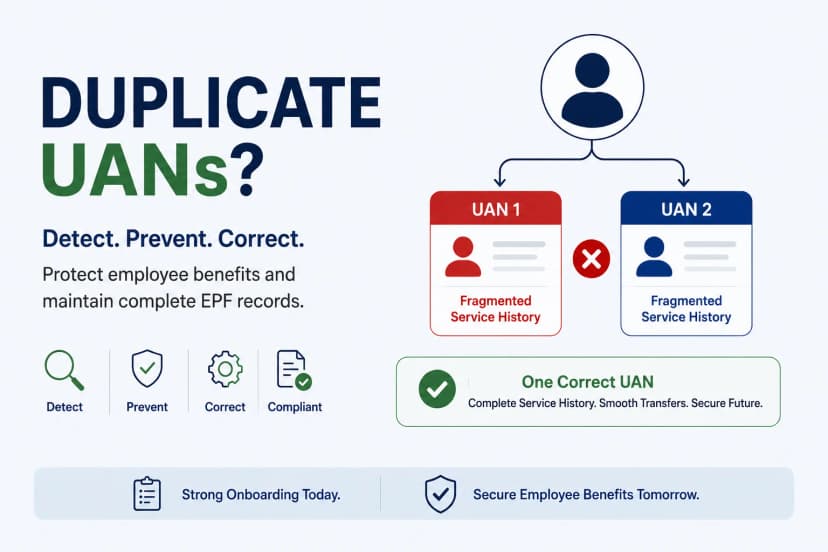
| "I have two UANs" | New UAN created at onboarding | Link the existing UAN; fix the Form 11 step | Duplicate UAN |
| "My contribution is missing" | Payroll and ECR don't match, or payment was late | Reconcile, then file a corrected ECR or pay | ECR filing mistakes |
| "My pension amount looks wrong" | Service history or EPS share errors | Correct the service record | Employer EPS errors |
The common thread: in Kustodian's correction casework, the most frequent delay is a request sitting unactioned in the employer's own portal queue, not at EPFO. Checking that queue weekly clears more tickets than any reply template.
Answer, investigate or escalate: routing employee PF tickets
Kustodian's PF routing rule: answer what one portal action fixes, investigate when records disagree, escalate when the fix needs history or an EPFO office.
| Route | Use when | Owner | Typical cases |
|---|---|---|---|
| Answer | One action in the employer portal or one record lookup fixes it | HR or payroll | Approve a pending transfer, share the UAN, mark exit, approve a joint declaration |
| Investigate | HR, payroll, ECR or EPFO records disagree, or the cause is unknown | Payroll with a PF specialist | Missing contribution, wrong DOJ, duplicate UAN |
| Escalate | The fix needs old records, a closed previous employer, a trust, or the regional EPFO office | PF specialist | Multi-year DOE backlog, closed employer, trust-to-EPFO transfer, repeated rejections |
One more rule sits above all three: if 3 or more employees raise the same issue in a month, treat it as a process fault, not as separate tickets.
Example: 25 tickets, one cause
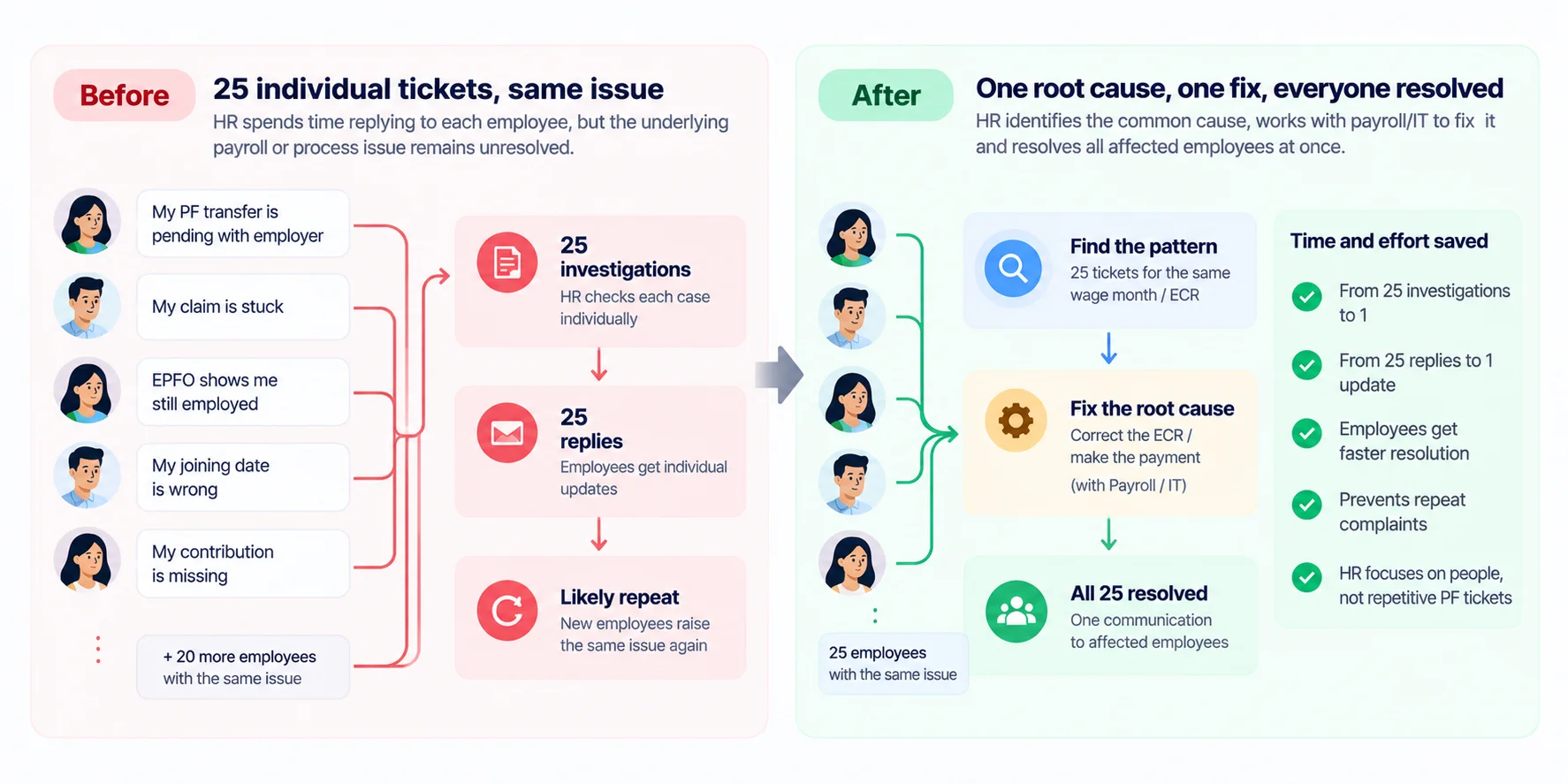
In one month, 25 employees report "my PF for last month is missing" (illustrative). Handled as 25 tickets, each one gets the same reply and the same wait.
Routed as a pattern, the first check is whether all 25 share a wage month, a site or a payroll change. Here they share a wage month: that month's ECR was filed after the payment cut-off.
| 25 separate tickets | One pattern | |
|---|---|---|
| Work | 25 investigations | 1 reconciliation |
| Fix | 25 replies | 1 corrected filing and payment, plus interest |
| Employee update | 25 messages, at different times | 1 message to the whole group |
| Next month | Likely repeats | Filing calendar fixed |
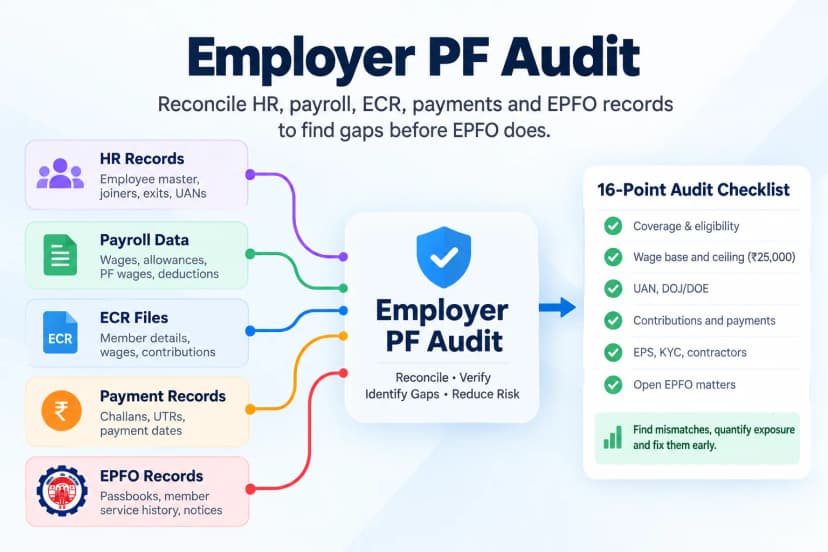
When employee tickets point to a wider record problem, run an employer PF compliance audit to find who else is affected before they complain.
What is an employee PF helpdesk?
An employee PF helpdesk is a single channel where employees raise provident fund issues, such as UAN, KYC, transfers, claims or missing contributions, and each case is diagnosed, routed and tracked to resolution.
The difference between a helpdesk that answers and one that resolves is what happens after the first reply.
| Basic PF helpdesk | Resolution PF helpdesk | |
|---|---|---|
| First response | "Please check the EPFO portal" | Identifies where the case is stuck |
| Employer-side actions | Left for the employee to chase | Flagged to HR with the exact action needed |
| Record mismatches | Not investigated | Reconciled against payroll, ECR and EPFO |
| EPFO follow-up | None | Tracked until the fix is filed |
| Repeat issues | Answered one by one | Grouped and traced to the process fault |
| What HR sees | A ticket count | Open cases by type and age, pending approvals, recurring patterns |
A helpdesk that only answers moves the complaint from HR's inbox to a queue. The useful measure is cases closed, not questions answered.
When do you need an expert PF helpdesk?
Outsourcing is not always the right call. The deciding factors are volume, complexity and who controls portal access.
| Factor | Keep in-house | Consider a specialist |
|---|---|---|
| Ticket volume | A few a quarter | Steady every month |
| Share needing investigation or escalation | Most are one-click fixes | Many need record reconciliation or EPFO follow-up |
| Sites and states | One establishment | Several codes, states or regional EPFO offices |
| Languages employees need | One or two | Several, including for shop-floor staff |
| Portal and DSC access | Two or more trained signatories | One person, or a previous consultant |
| Record history | Clean, recent | Payroll or consultant changes, mergers, old backlogs |
If most rows land in the left column, a written routing rule and a weekly portal check may be all you need.
How Kustodian runs an employee PF helpdesk
Kustodian has supported 10,000+ families and 170+ employer engagements, and raised ₹203 Cr+ in claims. Support runs in English, Hindi, Kannada, Tamil, Telugu, Bengali and other languages.
| Step | What happens | Output |
|---|---|---|
| 1. Intake | The employee raises the issue directly with Kustodian | A case with UAN, issue type and documents |
| 2. Diagnose | The case is routed: answer, investigate or escalate | Root cause and the action needed |
| 3. Resolve | Documents prepared, employer actions flagged, EPFO followed up | The fix filed |
| 4. Report | HR sees status and recurring patterns | MIS and pattern alerts |
In practice: one employer came to Kustodian with a build-up of stuck employee PF withdrawals. Data mapping across records found the process flag behind them, and all stuck withdrawals were resolved within 21 days.
Kustodian handles: diagnosis, document collection, employee communication, EPFO follow-up and case tracking.
The employer keeps: employment records, payroll decisions, portal approvals and DSC sign-off, statutory obligations and HR policy.
Employee PF complaints: FAQs
Why is an employee's PF transfer or claim pending with the employer?
Where a request needs employer attestation, it waits in the employer portal until an authorised signatory approves it with a registered digital signature. Check the pending-approvals queue first. See claim stuck with employer.
What happens if the employer's digital signature (DSC) has expired?
Requests that need the employer's attestation can't be approved, and employees may see "previous employer digital signature not available". Renew the DSC and register it on the employer portal, then approve the pending requests.
Who approves a joint declaration for a name, DOB or exit-date correction?
The employee submits it and the employer verifies and approves it online, after which EPFO reviews it. Requests often stall at the employer step. See the joint declaration guide.
Does HR still need to act on former employees' PF issues?
Yes. Exit dates, transfers and corrections for past service still need the establishment's records and approvals, often years after the employee left.
What if the previous employer has closed?
The online employer step isn't available, so the case usually moves to a physical process, such as bank attestation and manual submission to the regional EPFO office. These cases are best escalated.
Can employees raise PF grievances directly with EPFO?
Yes, through EPFO's grievance portal, EPFiGMS. Grievances about employer-side actions come back to the employer to resolve, so they don't remove HR's part of the work.
What is an employee PF helpdesk?
A single channel where employees raise provident fund issues, such as UAN, KYC, transfers, claims or missing contributions. Each case is diagnosed, routed to HR, payroll or a specialist, and tracked until it is fixed.
Should HR outsource the employee PF helpdesk?
Outsource when tickets arrive every month, many need record reconciliation or EPFO follow-up, employees need support in several languages, or portal and DSC access depend on one person. With low volume, one site and clean records, a written routing rule and a weekly portal check are usually enough.
Sources
- EPFO: services for employees
- EPFO Unified Portal for employers
- EPFiGMS grievance portal
- Kustodian for Employers: engagement figures and case outcomes cited above
PF Interest Loss Calculator
See how much interest you lose every month your claim sits unresolved.