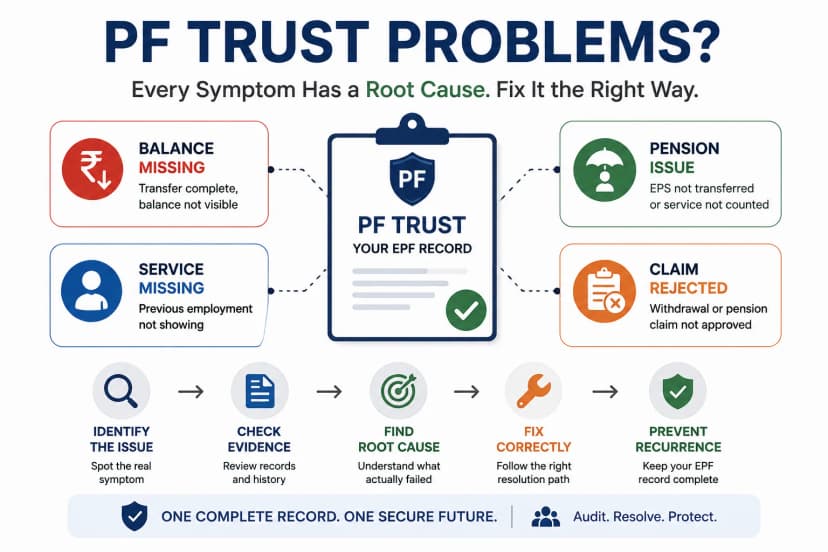
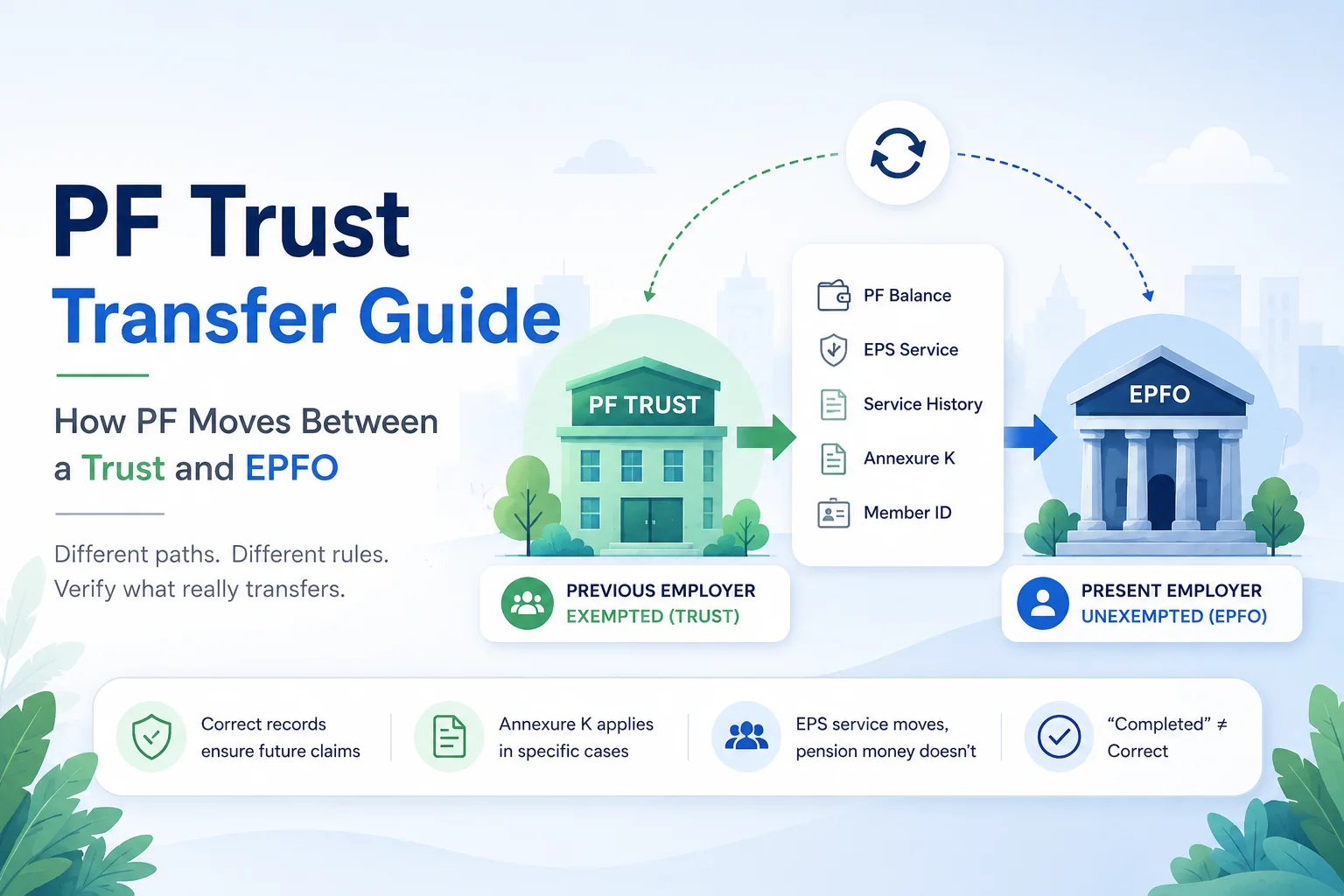
Quick answer: A PF transfer involving an Exempted Establishment (a company-run PF Trust) follows one of six official EPFO transfer scenarios, not one generic process. Depending on whether your old and new employers are Trust-run or EPFO-run, you may need to apply to the Trust directly, to EPFO directly, or to both — and Annexure K only applies in specific scenarios, not every Trust transfer. EDLI never transfers. Pension contributions only move between two exempted Pension Trusts; otherwise only your service history moves to EPFO for pension eligibility, not the money itself. A transfer marked "Completed" on the portal confirms the balance moved — it does not confirm your service history, EPS eligibility, or Member ID mapping are correct.
This guide covers what actually transfers, the six official transfer scenarios, why "Completed" isn't the same as "Correct," and how to verify your own records.
Every Trust transfer follows a different path—but every successful transfer depends on accurate records. Before you rely on a "Completed" status, let Kustodian review your UAN, Member IDs, transfer history, Annexure K, service continuity, and EPS records. We'll identify hidden gaps before they turn into rejected withdrawals or pension disputes.
The 6 Official Transfer Scenarios
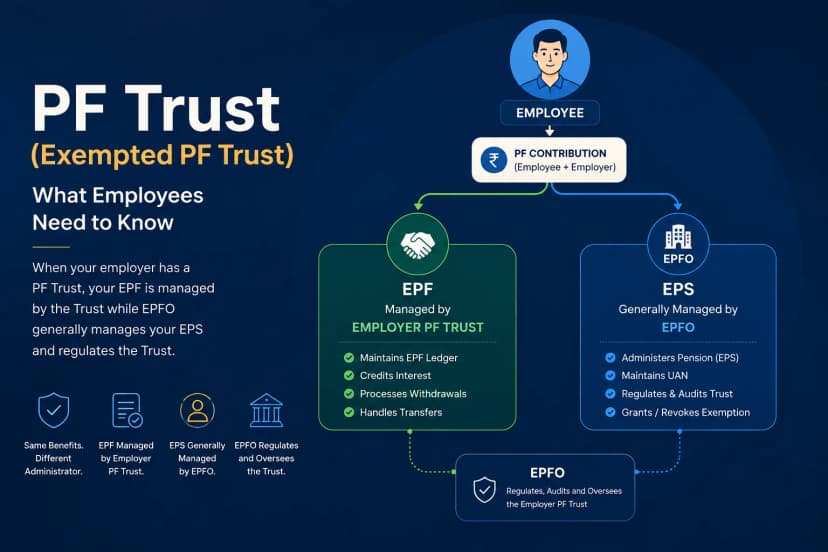
Most explanations of Trust transfers describe a vague "Trust ↔ EPFO" workflow. EPFO's own Form 13 instructions are more precise: they define six scenarios based on whether your previous and present establishments are exempted (Trust-run) or unexempted (EPFO-run) under the EPF Scheme and separately under the EPS (pension) Scheme.
| # | Previous EPF | Previous EPS | Present EPF | Present EPS | Where you apply | What actually moves |
|---|---|---|---|---|---|---|
| 1a | Unexempted | Unexempted | Unexempted | Unexempted | EPFO | PF balance + service details, EPFO → EPFO |
| 1b | Unexempted | Unexempted | Exempted | Unexempted | EPFO | PF balance → Trust; service history → EPFO |
| 1c | Unexempted | Unexempted | Exempted | Exempted | EPFO | PF balance + pension contribution → respective Trusts |
| 2a | Exempted | Unexempted | Unexempted | Unexempted | Trust (for PF) + EPFO (for service) | PF from Trust credited to new account; service details transferred |
| 2b | Exempted | Unexempted | Exempted | Unexempted | Trust (for PF) + EPFO (for service) | No EPFO action; only service details transfer |
| 2c | Exempted | Unexempted | Exempted | Exempted | Trust (for PF) + EPFO (for service) | No EPFO action; pension contribution moves to new Pension Trust |
| 3a | Exempted | Exempted | Unexempted | Unexempted | Respective Trusts | PF + pension contribution + service details → new account |
| 3b | Exempted | Exempted | Exempted | Unexempted | Respective Trusts | No PF action; pension contribution + service details → new account |
| 3c | Exempted | Exempted | Exempted | Exempted | Respective Trusts | No action required — both remain with existing Trusts |
Why this matters: the process you follow — and who you apply to — depends on your EPS status as much as your EPF status. Two employees both moving "Trust to EPFO" can be in different rows of this table, with different required actions, because their pension fund exemption status differs from their PF exemption status.
What Actually Transfers
| Record | Transfers? | Detail |
|---|---|---|
| EPF balance | Yes | Moves per the scenario in the table above |
| EPF interest | Yes | Forms part of the transferred accumulation |
| EPS service history | Yes | Counted for pension eligibility, even when the pension money doesn't move |
| Pension contribution (money) | Only Trust → Trust | Otherwise only service history transfers, not the fund itself |
| EDLI | Never | EDLI benefits depend on active service and date of death, not accumulated transfers |
| Member ID | Never | A new Member ID is created at each employer; it's linked to your one UAN |
| UAN | Unchanged | Stays the same for your entire career |
| Nomination, KYC | Not automatic | Re-verify with each new employer |
Kustodian Insight: Most disputes we see aren't "the transfer failed" — they're a mismatch between what the employee expected to move (their pension pot) and what the rules actually move (service years, for eligibility, with the pension fund itself staying with the Trust unless both employers run exempted Pension Trusts). Reading your specific row in the table above before you leave your job avoids this.
Why "Completed" Doesn't Mean "Correct"
The EPFO portal marks a transfer "Completed" once the balance has moved. It does not check:
- Whether your service history shows continuously, without gaps
- Whether EPS eligibility years are correctly recorded
- Whether your exit date matches your actual last working day
- Whether your old and new Member IDs are both linked to the same UAN
These four issues typically surface only at withdrawal, re-transfer, or pension claim — often years later, when the previous employer's HR contact has moved on and records are harder to trace.
The 3 Ways a Transfer Goes Wrong
1. Records never moved. The request stalled before anything was exchanged. Symptoms: status unchanged for weeks; previous employer still shows you as active; new employer can't find your history. Check: transfer request status and previous-employer verification step.
2. Records moved incompletely. The balance moved but service history or EPS didn't fully come with it — the most common Trust-related issue, especially in scenarios 2a–2c above where the Trust and EPFO each own only part of the transfer. Symptoms: balance is correct, but service years or previous employment are missing or truncated. Check: service history under "View" on the UAN portal, and whether EPS service years match your actual tenure.
3. Records moved but don't reconcile. Everything transferred, but the details conflict with each other. Symptoms: duplicate Member IDs, wrong exit date, balance slightly off from your last payslip deduction. Check: exit date, date of joining at new employer, and whether any Member ID appears twice under your UAN.
Not Sure Which Transfer Issue You Have?
Many PF transfer problems aren't visible from the claim status alone. Our Free EPF Audit checks your UAN, Member IDs, service history, transfer records, and EPS continuity to identify the real cause.
Verification Checklist: Before, During, After
| Record to verify | Before you leave | During the transfer | After "Completed" |
|---|---|---|---|
| UAN & Member ID | Confirm both are correct on your latest payslip | Confirm the transfer request cites the right UAN | Confirm old and new Member IDs both sit under one UAN, with none duplicated |
| Exit date (DOE) | — | Confirm previous employer has filed it | Confirm it matches your actual last working day |
| EPF balance | Download latest PF/Trust statement | Track status until "Completed" | Compare new passbook/Trust statement to your last statement — same figure, plus interest |
| Service history | — | — | Check "View Service History" on the UAN portal for continuity, no gaps |
| EPS service years | — | Confirm Annexure K generated, if your scenario requires it | Confirm EPS years match actual tenure |
| Personal details | Confirm Aadhaar, PAN, DOB match across records | — | — |
If any row doesn't check out, don't wait — old employers close, HR contacts change, and records get harder to trace every year that passes.
What If Something Doesn't Match?
| You notice | Likely cause | Where to look |
|---|---|---|
| Balance lower than expected | Transfer incomplete, or interest not yet credited | Latest passbook/Trust statement vs. last known balance |
| Previous service missing | Service history step of your scenario didn't complete | "View Service History" on the UAN portal |
| Pension/EPS missing or short | EPS reconciliation step didn't complete (see scenarios 1b, 2a, 2b) | EPS service years vs. actual tenure |
| Wrong exit date | Previous employer filed it incorrectly | Compare portal DOE to your relieving letter |
| Multiple Member IDs, same employer period | Mapping error during transfer | UAN portal → Member ID list |
| Transfer stuck for weeks | Previous employer or Trust verification pending | Transfer status page — identify which party owns the next step |
Frequently Asked Questions
Do I need Annexure K for every Trust transfer? No. Annexure K applies to specific transfer directions, generally when PF records move between an exempted Trust and EPFO. If both your previous and present pension arrangements are with the same category (see the scenario table), it may not be required at all.
Does my pension amount transfer when I change jobs? No, not as money — except when moving between two exempted Pension Trusts (scenario 1c, 2c, 3a). In every other case, only your service history transfers, which EPFO uses to determine pension eligibility; the pension contribution itself stays where it is.
Why is my EPF transferred but my EPS missing? This usually means the service-details step of your specific scenario hasn't completed — common in Trust-involved transfers, since EPF and EPS can be processed by different bodies (Trust vs. EPFO) at different speeds.
Does EDLI ever transfer? No. EDLI benefits are tied to being in active service at the time of death and are not linked to your transfer history at all.
Can I withdraw instead of transferring? Depends on your eligibility and current employment status; this is a separate decision from a transfer and should be evaluated on its own terms.
What if my previous employer or Trust has shut down? You can still raise a grievance through the EPFO portal using your UAN to request records or Annexure K; the process takes longer but isn't blocked entirely.
Still Not Sure Whether Your PF Transfer Is Actually Complete?
A "Transfer Completed" status doesn't confirm that your service history, EPS continuity, Member IDs, or employment records are correct. These issues often surface only when you apply for your next transfer, withdrawal, or pension.
Is Your Transfer Actually Complete?
A "Completed" status confirms your balance moved. It doesn't confirm your service history is continuous, your EPS years are correct, or your Member IDs are properly linked — and these are exactly the things that get checked when you next withdraw, transfer, or claim your pension.
Run a Free PF Transfer Health Check — we verify your balance, service history, EPS continuity, and Member ID mapping against your UAN records, so a gap doesn't surface for the first time at your pension claim.
References: Employees' Provident Fund Scheme, 1952 (Para 57, Form 13 instructions); Employees' Provident Funds and Miscellaneous Provisions Act, 1952, Section 17(1) (exemption of establishments); EPFO Unified Member Portal.
PF Interest Loss Calculator
See how much interest you lose every month your claim sits unresolved.