
To verify and finalize E-Khata online in Bangalore, property owners need to review the draft record, confirm ownership and property details, complete Aadhaar-linked e-KYC, and submit the verification request through the BBMP E-Aasthi system.
BBMP generated draft E-Khata records using existing property-tax and municipal records. As a result, most property owners are verifying and finalizing an existing draft record rather than creating a completely new property record from scratch.
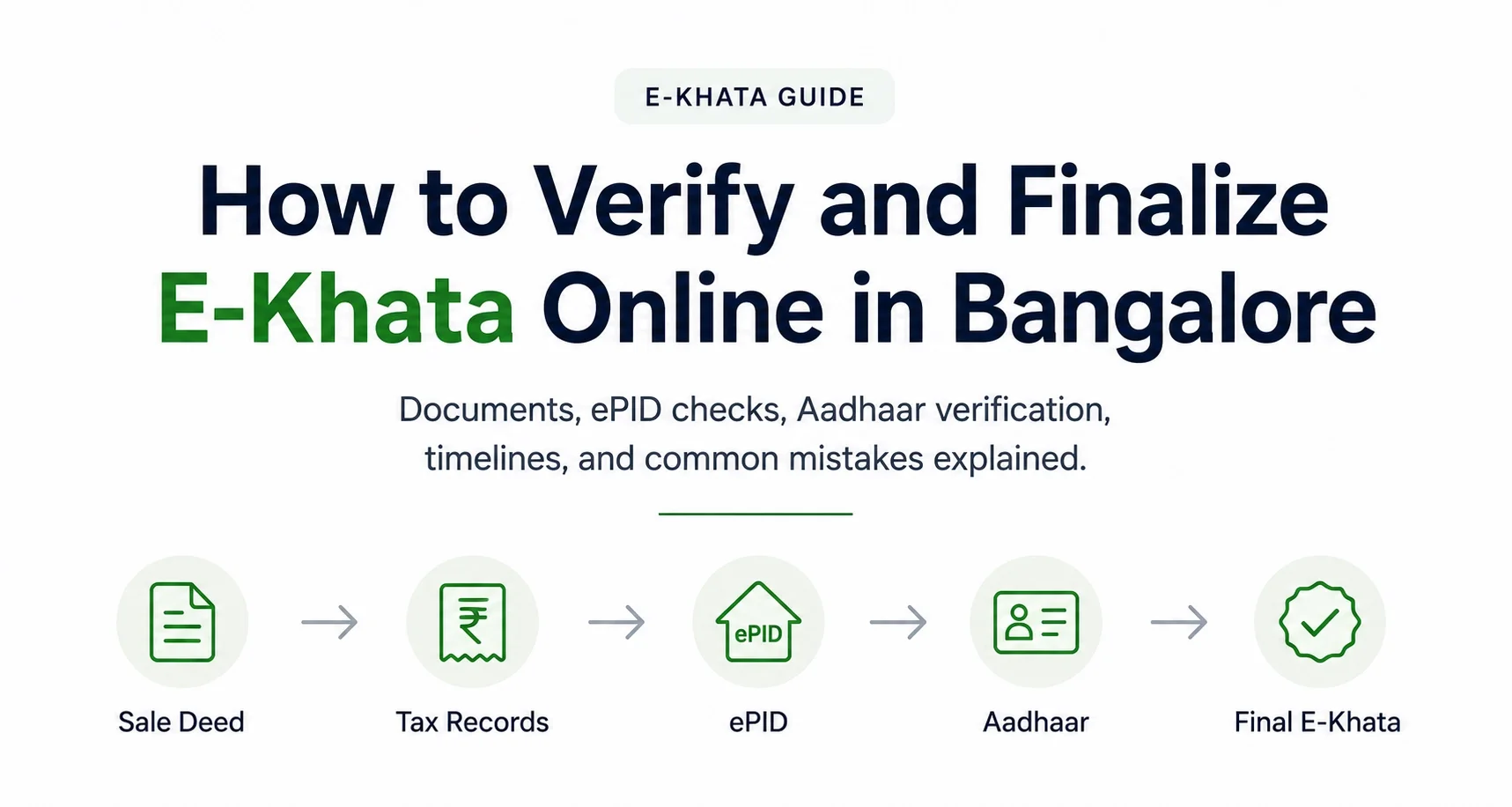
E-Khata process at a glance
| Step | What happens |
|---|---|
| 1 | Retrieve the draft E-Khata linked to the property |
| 2 | Verify ownership details |
| 3 | Confirm the ePID and tax linkage |
| 4 | Complete Aadhaar e-KYC |
| 5 | Upload supporting documents if requested |
| 6 | Check for mismatches or missing records |
| 7 | Submit the verification request |
| 8 | Download the finalized E-Khata after approval |
The process becomes slower when ownership names, tax records, property dimensions, or identity details do not match across systems. Apartments, inherited properties, and NRI-owned properties often need extra review because their records are more likely to contain gaps or older updates.
If your application has already been rejected or requires correction, read our guide on Why E-Khata Applications Get Rejected in Bangalore.
Need Help Verifying Your E-Khata?
If your ownership details, ePID, tax records, or Aadhaar information do not match, the verification process can get delayed or rejected.
👉 Kustodian can help identify record mismatches and guide you through the E-Khata verification process.
1. What is the difference between draft and final E-Khata?
A draft E-Khata is a preliminary record created from existing municipal data. A final E-Khata is the approved record that matches the verified property and ownership details.
| Draft E-Khata | Final E-Khata |
|---|---|
| Auto-generated from existing records | Approved after verification |
| May contain outdated details | Matches verified records |
| Needs owner review | Ready for official use |
| Can include mismatches | Corrected and finalized |
| May require documents | Verification completed |
A draft status does not automatically mean there is a problem. It usually means the system still needs confirmation before final approval. In many cases, the delay is caused by a simple mismatch in ownership name, property identifier, or tax record rather than a deeper legal issue.
2. Documents Required for E-Khata Verification
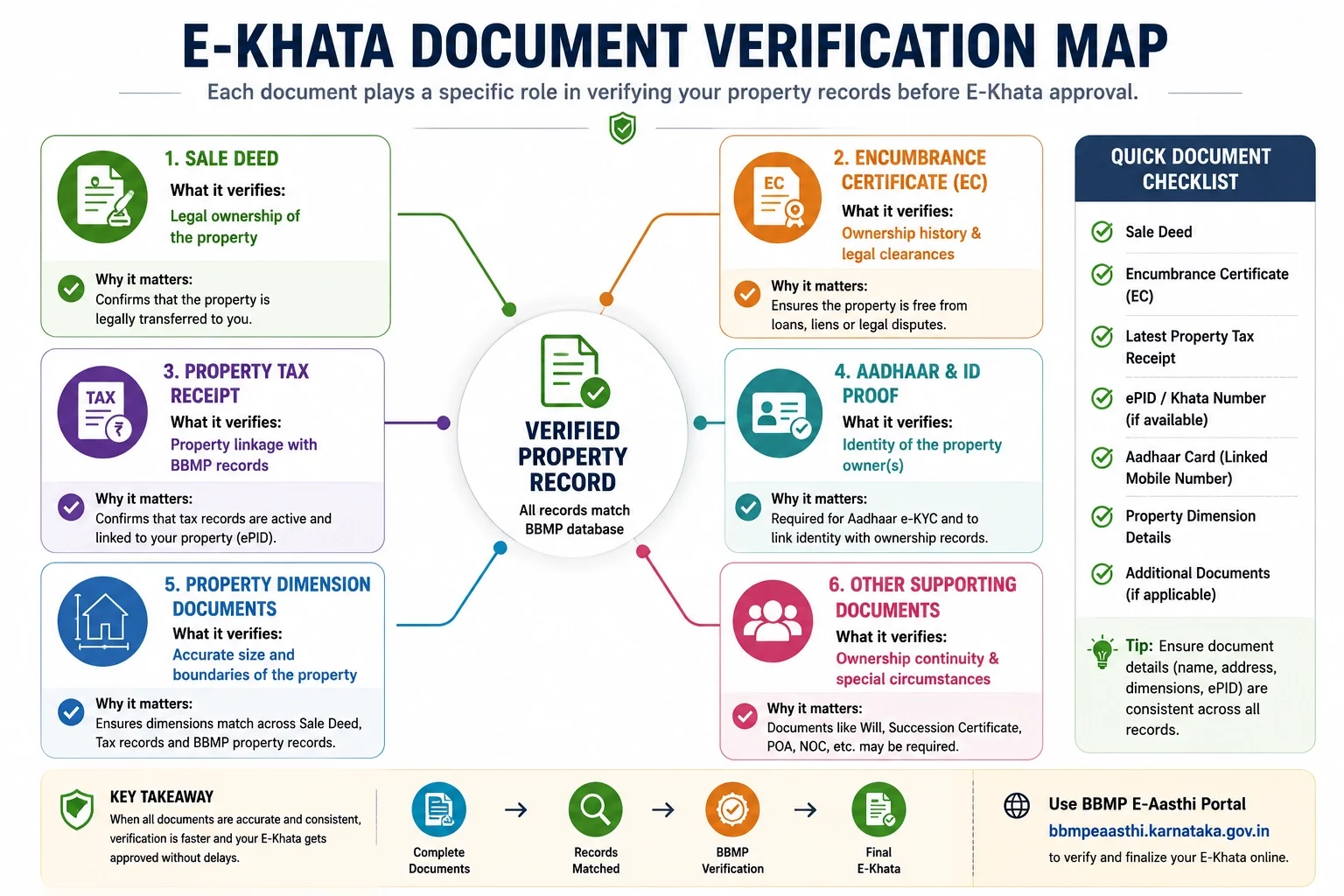
E-Khata verification is designed to confirm that ownership records, identity records, tax records, and municipal property records all refer to the same property. Most delays occur because information differs across these systems rather than because documents are missing.
The exact requirements vary by property type, but the verification process usually relies on a core set of ownership, identity, and property records.
Documents commonly required
| Document | Why it is verified | Common issue |
|---|---|---|
| Registered Sale Deed | Confirms ownership and property details | Ownership names differ across records |
| Encumbrance Certificate (EC) | Validates ownership history | Missing transactions or gaps |
| Aadhaar | Identity verification and e-KYC | Name mismatch |
| PAN | Additional identity validation | Different initials or spelling |
| Property Tax Receipt | Confirms tax linkage | Old SAS or property records |
| Existing Khata Records | Cross-checks municipal data | Outdated ownership details |
The objective is not simply to upload documents. The objective is to ensure that the information within those documents remains consistent across all systems involved in verification.
Not sure if your documents are sufficient for verification. Kustodian can help review your property records before submission.
What gets verified during E-Khata review?
Many property owners assume verification is document-based. In practice, it is data-based.
Authorities commonly review:
- Ownership names
- Property dimensions
- Property identifiers
- Tax records
- Historical ownership continuity
- Identity details
Even small inconsistencies can trigger additional review.
Examples include:
- Full name on Aadhaar differs from the Sale Deed
- Property dimensions differ between records
- Tax records linked to an older identifier
- The previous owner still appears in municipal records
These issues are common and usually require correction rather than legal resolution.
Apartment-specific records
Apartment owners often face delays because builder-to-owner transfers were completed legally but not fully reflected across all municipal systems.
Additional supporting records may include:
- Possession letter
- Allotment letter
- Builder confirmation documents
- Apartment association records, where applicable
Many apartment verification issues originate from older project records rather than mistakes made by the current owner.
Inherited property records
Inherited properties require additional verification because ownership transfers through succession rather than a sale transaction.
Supporting records may include:
- Death certificate
- Legal heir documentation
- Family settlement documents
- Succession-related records where applicable
The key objective is establishing a clear ownership chain.
Document checklist before submission
Before starting E-Khata verification, review the following:
✓ Ownership names are consistent across documents
✓ Property dimensions match across records
✓ Latest property tax records are available
✓ Encumbrance Certificate reflects the expected ownership history
✓ Identity documents reflect the current legal name
✓ Apartment transfer records are complete where applicable
Property owners who perform these checks before submission typically face fewer correction requests and fewer delays during verification.
Want to avoid delays or correction requests?
Get your property records reviewed before submitting your E-Khata verification request.
3. Step-by-Step E-Khata Verification Process
The E-Khata verification process is designed to confirm that ownership records, tax records, identity records, and property information are correctly linked before a digital property record is finalized. While the exact workflow can vary slightly by property type, most owners follow the same verification sequence.
Step 1: Retrieve Your Draft E-Khata
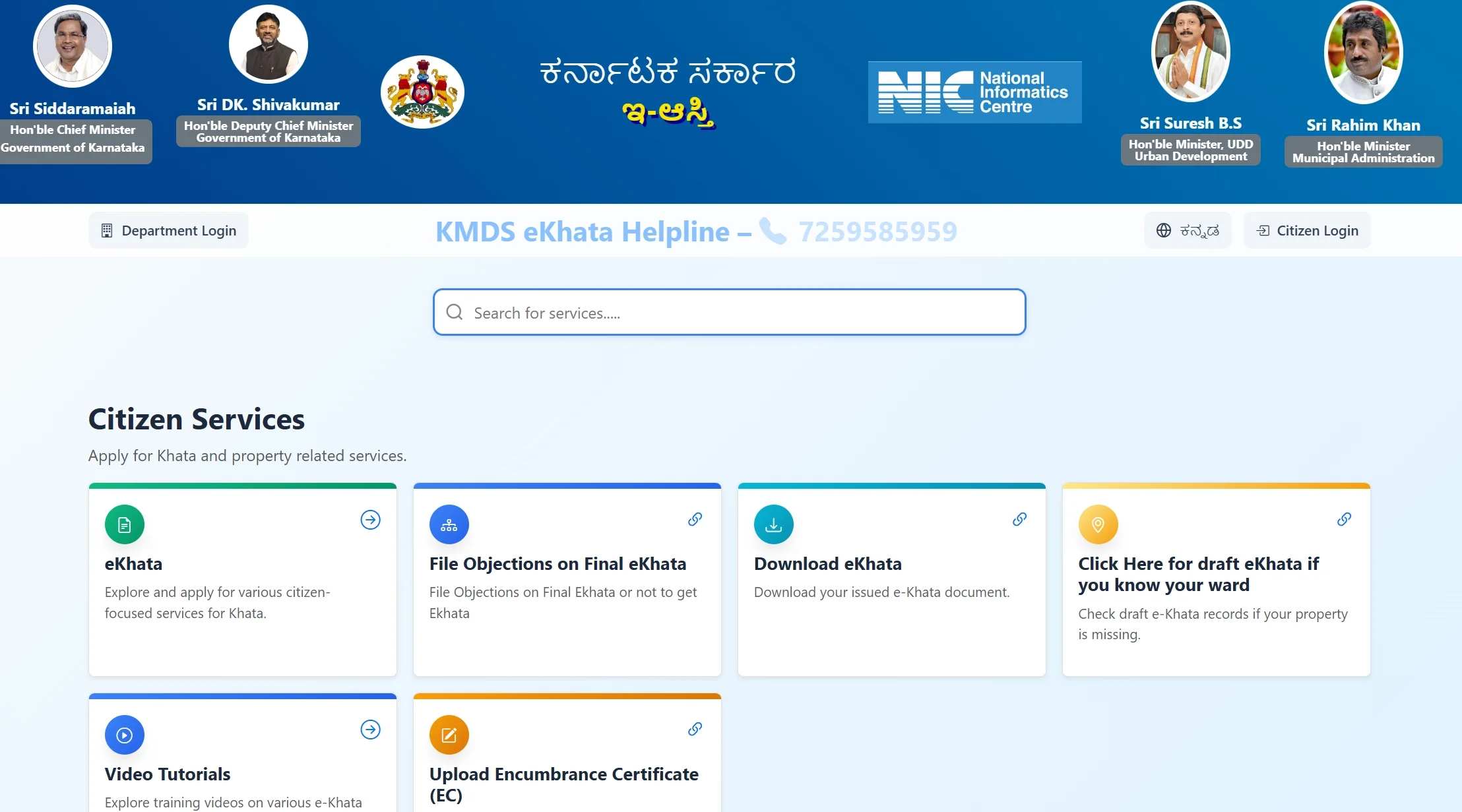
The first step is locating the draft E-Khata associated with the property.
Before proceeding, verify that:
- Property details appear correctly
- Owner information is visible
- The correct property record has been retrieved
If multiple records appear, review them carefully before continuing.
Many issues later in the process originate from selecting the wrong property record during the initial verification stage.
Step 2: Verify Ownership Details
Ownership information should match the registered property documents.
Review:
- Owner name
- Joint owner details, if applicable
- Property address
- Ownership structure
Pay particular attention to spelling differences, initials, and name formats.
For example:
- Harish Kumar
- Harish K Kumar
- Harish K.
may be treated differently across systems.
Even minor inconsistencies can trigger manual review.
Step 3: Verify ePID and Property Tax Records
The ePID acts as the property's unique identifier and helps connect municipal records, tax records, and ownership records.
Review:
- ePID details
- Property tax information
- Property classification
- Linked municipal records
The ePID and tax records should correspond to the same property.
Where records point to different properties or older entries, additional verification may be required before approval.
Step 4: Complete Aadhaar-Linked e-KYC
Identity verification is typically completed through Aadhaar-linked e-KYC.
The objective is to confirm that the property owner and the person completing verification are correctly matched.
Before starting e-KYC, verify:
- Aadhaar details are current
- Mobile number linked to Aadhaar is active
- Name matches ownership documents
Many verification failures occur because the mobile number linked to Aadhaar is no longer accessible.
Step 5: Upload Supporting Documents
Additional documents may be requested depending on the property's ownership history and record status.
Examples include:
- Sale Deed
- Encumbrance Certificate
- Property Tax Receipt
- Identity documents
- Succession-related records
Before uploading:
- Ensure documents are legible
- Confirm names are clearly visible
- Verify that all pages are included
Poor-quality uploads frequently lead to avoidable review delays.
Step 6: Review for Mismatches
Before submission, perform one final review.
Check:
✓ Ownership names
✓ Property dimensions
✓ Property address
✓ Tax information
✓ Identity records
✓ Supporting documents
Most correction requests are triggered at this stage rather than during document upload.
A few minutes spent reviewing records can prevent weeks of follow-up later.
Found a mismatch in your ownership details or property records? Kustodian can help you understand what needs to be corrected before submission.
Step 7: Submit the Verification Request
Once all information has been reviewed, submit the verification request.
After submission, the application enters the verification queue.
Depending on the property's history, the review may involve:
- Automated validation
- Municipal record verification
- Additional review for inconsistent records
Submission does not automatically mean approval. It simply moves the application into the verification stage.
Step 8: Download the Final E-Khata
After approval, the finalized E-Khata can be used during property sales, home-loan applications, ownership verification, and other municipal property-related processes.
Before storing the document, verify that:
- Ownership information is correct
- Property details are accurate
- No obvious errors remain
It is easier to identify issues immediately after approval than months later during a sale, loan application, or future property transaction.
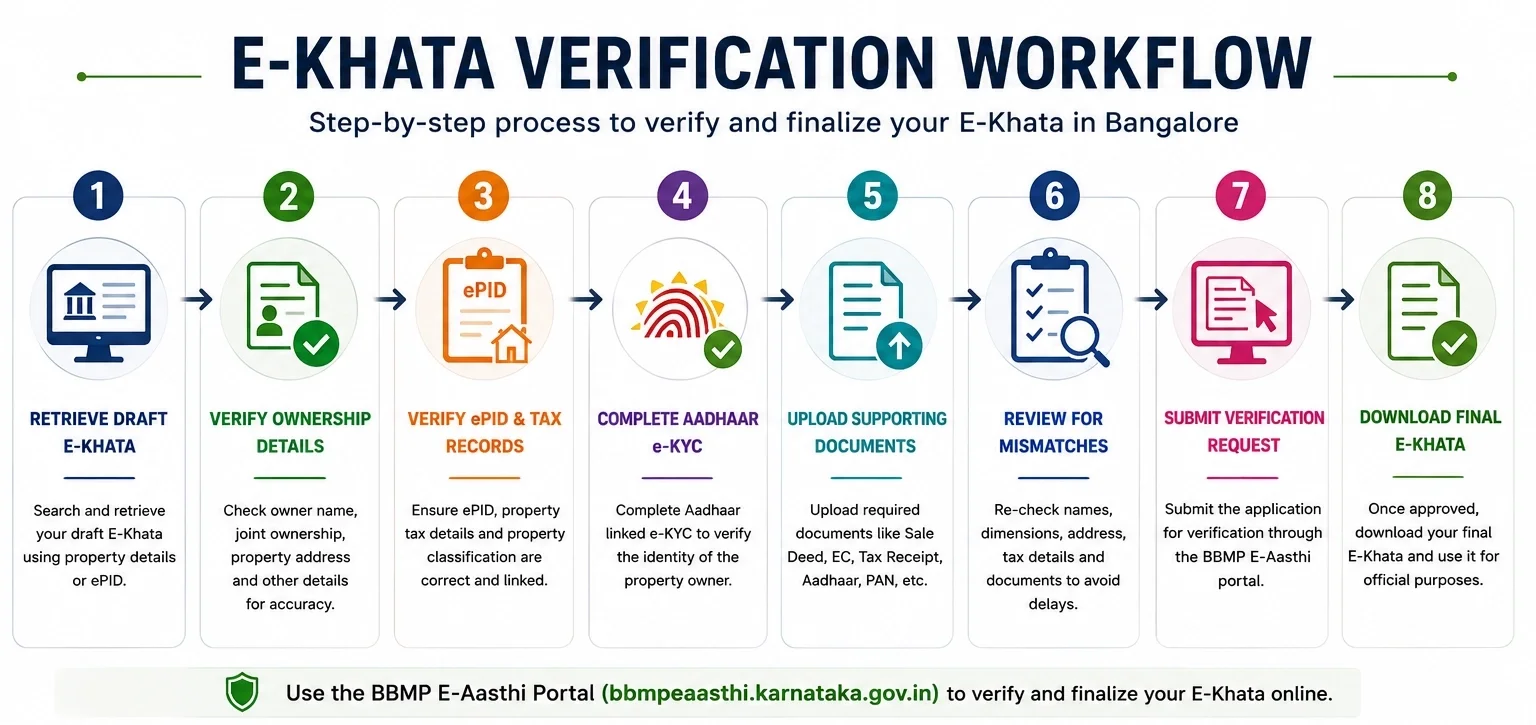
4. Common E-Khata Portal Issues
Several recurring issues appear during E-Khata verification. Most are related to record synchronization rather than legal ownership problems.
| Issue | What it usually means |
|---|---|
| ePID not found | Property records may not be fully linked |
| Ownership mismatch | Different records show different owner details |
| Aadhaar verification failed | Identity information could not be validated |
| Draft record unavailable | The property record may require further synchronization |
| Upload rejected | Document quality or format issue |
| Verification pending | The application is still under review |
Many property owners assume these messages indicate rejection. In reality, they often signal that one or more records require clarification before the verification process can continue.
Ownership mismatches are one of the most common reasons for rejection. Learn how to identify and fix them in our guide on Why E-Khata Applications Get Rejected in Bangalore.
5. NRI Verification, ePID Issues, Timelines, and Common Delays
Most E-Khata verification requests follow a straightforward process. However, delays are more common when the property has older ownership records, missing identifiers, inheritance-related transfers, or overseas owners who cannot complete verification in person.
Additional Documents for NRI-Owned Properties
- Passport
- Overseas address proof
- OCI documentation, where applicable
- Power of Attorney documentation when a representative acts on behalf of the owner
How NRIs Can Complete E-Khata Verification
NRI property owners can complete most of the E-Khata verification process remotely, provided the required ownership and identity records are available.
The most common challenges include:
- Aadhaar-linked OTP verification
- Mobile numbers that are no longer active in India
- Missing property-transfer updates
- Power of Attorney coordination
- Document collection across multiple family members
Many NRI property owners successfully complete verification without visiting Bangalore, but additional coordination is often required where identity verification or ownership history is incomplete.
Where a representative is handling the process on behalf of the owner, a Specific Power of Attorney related to the property transaction is generally preferred over a broad General Power of Attorney because it clearly defines the authority being granted.
6. How to Find Your ePID
The ePID is the unique property identifier used to connect municipal property records, tax records, and E-Khata records.
If the ePID is unavailable, check the following sources.
| Source | Where to check |
|---|---|
| Property tax receipt | Property identification details |
| Existing Khata records | Property information section |
| Municipal property records | Property lookup details |
| Existing E-Khata records | Linked property information |
If the ePID cannot be located, review municipal records before proceeding with verification.
7. How Long Does E-Khata Approval Take?
E-Khata approval timelines depend primarily on record quality rather than property value.
| Property Type | Estimated Timeline |
|---|---|
| Apartment | 15–30 working days |
| Independent House | 15–45 working days |
| Inherited Property | 30–60 working days |
| NRI-Owned Property | 30–60+ working days |
Applications with complete and consistent records are usually processed faster than applications requiring manual review or corrections.
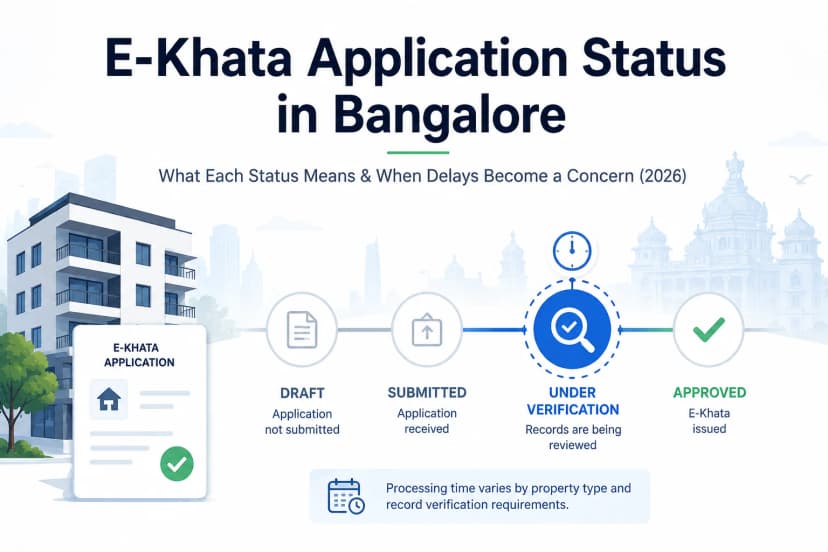
8. What Does "Pending" Status Mean?
A pending status usually means the application is still being reviewed.
It does not automatically indicate rejection.
Applications commonly remain pending when:
- Ownership verification is underway
- Property records require validation
- Additional review is required
- Municipal data needs reconciliation
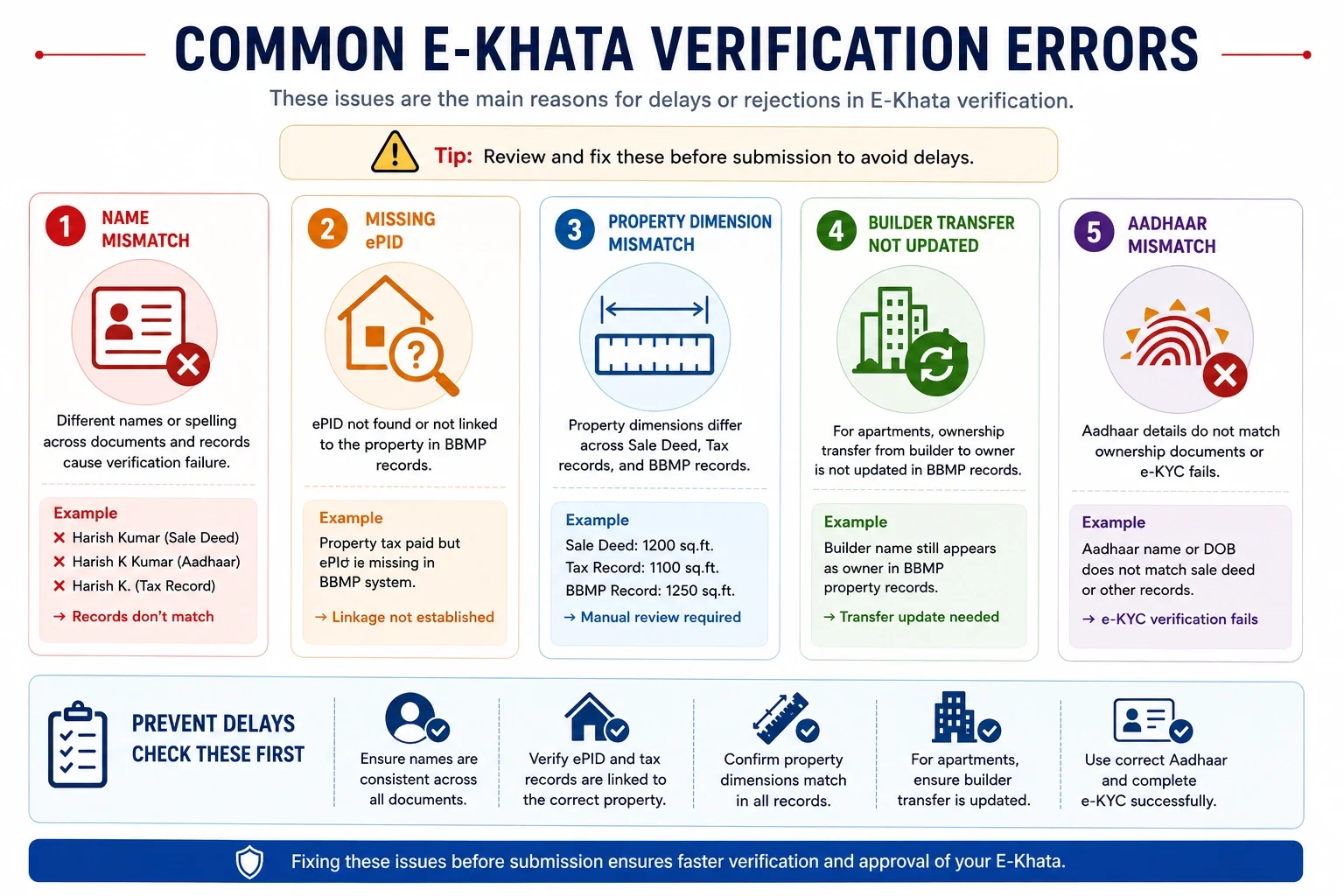
9. Most Common Reasons for Delay in E-khata
Most E-Khata delays can be traced back to a small number of recurring issues.
| Issue | Why it causes delays |
|---|---|
| Name mismatch | Records cannot be matched automatically |
| Missing ePID | Property linkage cannot be verified |
| Dimension mismatch | Manual review becomes necessary |
| Incomplete ownership history | Ownership continuity cannot be confirmed |
| Builder transfer issues | Apartment ownership remains partially updated |
| Aadhaar mismatch | e-KYC validation fails |
Property owners who verify these details before submission typically avoid the majority of correction requests and follow-up reviews.
Facing ePID errors, Aadhaar verification issues, or ownership mismatches. Get guidance on the next steps for your E-Khata application.
10. Frequently Asked Questions
How do I apply for E-Khata online in Bangalore?
Most property owners begin by reviewing their draft E-Khata, verifying ownership and tax records, completing Aadhaar-linked e-KYC, and submitting the verification request through the E-Khata system.
Why is my E-Khata still in draft status?
Draft status usually means the property record has not yet been fully verified. Ownership records, tax details, ePID information, or identity records may still require validation.
What documents are required for E-Khata verification?
Most applications require ownership records, identity documents, property tax records, and supporting property documents. Additional records may be required for inherited or NRI-owned properties.
How do I find my ePID number?
The ePID can often be found in property tax records, existing Khata documents, municipal property records, or previously generated E-Khata records.
How long does E-Khata approval take?
Approval timelines vary by property type and record quality. Properties with complete records are generally processed faster than properties requiring additional verification.
How can NRIs complete E-Khata verification from abroad?
Most verification steps can be completed remotely. However, Aadhaar-linked verification, document collection, and Power of Attorney arrangements may require additional coordination.
What does E-Khata pending mean?
Pending typically indicates that verification is still in progress and does not automatically mean the application has been rejected.
What should I do if ownership details are incorrect?
Incorrect ownership information should be reviewed and corrected before final approval to prevent future transaction or verification issues.
Is E-Khata Required for Property Sale in Bangalore?
E-Khata helps establish updated digital property records and may be requested during due diligence, ownership verification, or property transactions, depending on the circumstances of the sale.
Can E-Khata Be Used for Home Loan Applications?
Lenders may review E-Khata records as part of property verification during the home-loan process, along with other ownership and property documents.
Need Help Reviewing Property Records Before Final Submission?
Many E-Khata delays are caused by ownership mismatches, missing ePID records, incomplete apartment-transfer updates, or inconsistencies between tax and property records. Reviewing these issues before submission can significantly reduce correction requests and verification delays.
If your records contain conflicting ownership details, missing identifiers, inheritance-related complications, or unresolved municipal record issues, professional review before submission can help identify problems early and avoid unnecessary delays.
![Why E-Khata Applications Get Rejected in Bangalore (And How to Fix Them) [2026]](/_next/image?url=https%3A%2F%2Fwebsite-assets-wix.s3.ap-south-1.amazonaws.com%2Fimages%2Fposts%2F3031ceb9f0274289aad5c5f140be716f.webp&w=828&q=75)