From August 2025, the way you generate or activate your UAN has fundamentally changed. The Employees’ Provident Fund Organisation (EPFO) has introduced Aadhaar-based Face Authentication through the UMANG app, making biometric verification mandatory for new UAN allotments and activations.
If you are a new employee, someone who hasn’t activated your UAN yet, or an individual updating EPF records, this update directly affects you. In this guide, we break down what has changed, who must comply, how the new face authentication process works step-by-step, and what you should watch out for to avoid activation failures.
Understanding this rule now can save you from future EPF access issues because without an active UAN, your PF services remain locked.
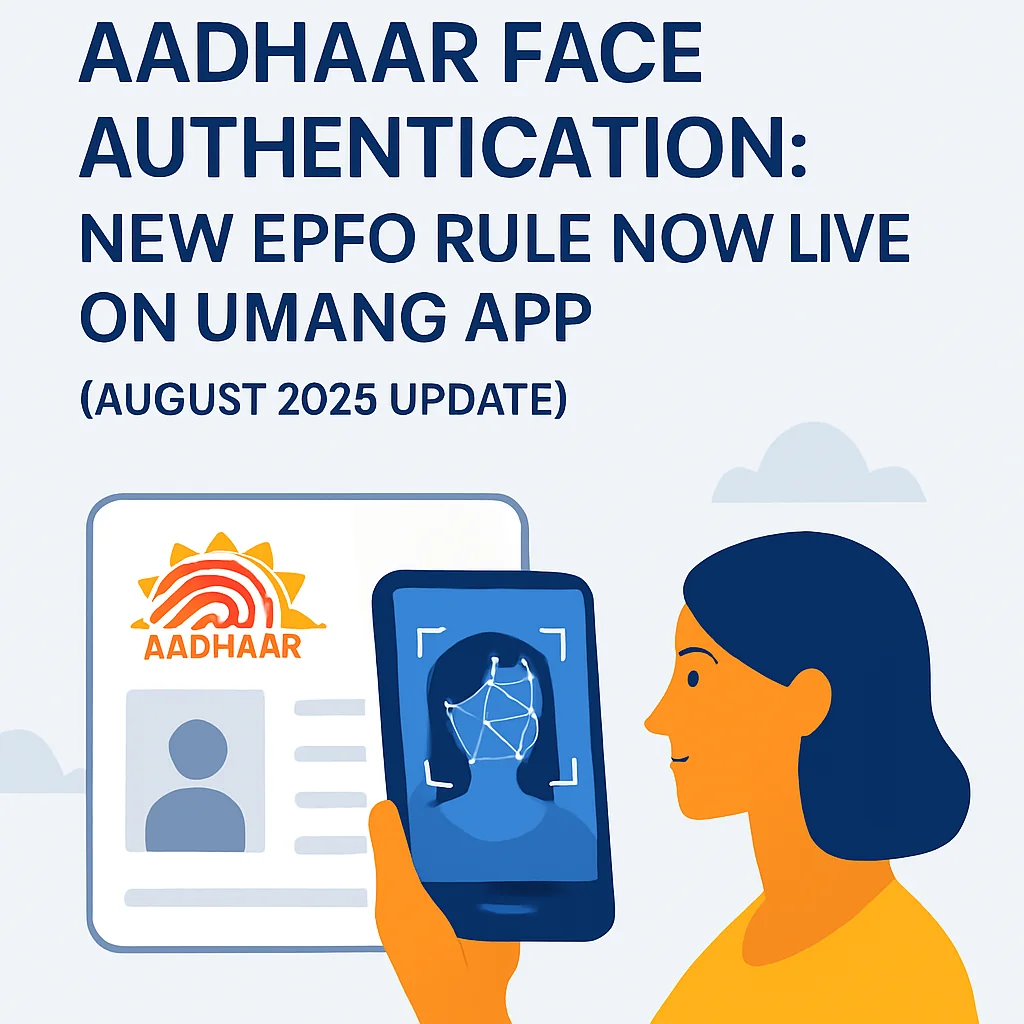
Starting August 1, 2025, the Employees’ Provident Fund Organisation (EPFO) has rolled out a major update:
You can no longer generate or activate a UAN (Universal Account Number) the old way.
EPFO has mandated Aadhaar-based Face Authentication Technology (FAT) for all new UAN generations. This new process, available exclusively through the UMANG app, auto-fetches user details directly from the Aadhaar database, ensuring the process is secure, error-free, and doesn’t require employer involvement.
What’s Changing?
If you're a new employee entering the workforce or someone who hasn’t yet activated your UAN, here’s the key update:
- From now on, you must use your face and Aadhaar (yes, literally!) to generate or activate your UAN.
- The process is completely digital, self-service, and paperless, using two apps:
| Feature / Step | Old Method (Before Aug 1, 2025) | New Method (2026) |
| Authentication Method | Aadhaar OTP (manual entry) | Face Authentication Technology (FAT) using Aadhaar |
| Mobile Number Requirement | Optional (initial stage) | Mandatory (must be Aadhaar-linked) |
| Apps Used | None or employer’s portal | UMANG + Aadhaar Face RD app |
| KYC / Data Entry | Entered by employer, prone to errors | Auto-fetched from Aadhaar (minimizes errors) |
| Time to Generate / Activate | Delayed (depends on employer processing) | Instant (done within minutes by employee) |
| Access to EPF Services | After manual activation | Immediate after face scan + OTP verification |
| Exemptions | Not applicable | Available for international workers, Nepal, Bhutan |
Your employer is no longer involved in this process, unless you’re from Nepal, Bhutan, or an international worker (who are exempt from this rule).
Confused about the new UAN activation rules? Get a Free EPF Audit check from Kustodian.
Why Is EPFO Doing This?
This move is part of EPFO’s broader digital reforms introduced in 2025, aimed at making the entire provident fund system more efficient, transparent, and user-friendly. By integrating Aadhaar-based authentication into core EPFO processes, the organization is moving toward a single, reliable source of identity verification for all members. Here’s how these changes improve the system:
Eliminate data entry errors:
Previously, EPF records were often created manually by employers, which sometimes led to spelling mistakes, incorrect dates of birth, or mismatched personal details. By linking EPF accounts directly with Aadhaar, the system now uses verified government identity data as the primary source, significantly reducing errors and ensuring that member details remain consistent across records.
Cut out middlemen:
Earlier, employees often had to rely on HR teams, consultants, or third-party agents to create or update their Universal Account Number (UAN) and EPF profile. With Aadhaar-based processes and self-service portals, members can now manage their EPF account directly online, reducing dependency on intermediaries and minimizing the chances of delays or miscommunication.
Speed up access to EPF services:
Aadhaar integration allows EPFO to automate several steps that previously required manual verification. This means employees can check their EPF passbook, file withdrawal claims, update KYC details, or transfer PF between jobs much faster through the online portal or mobile apps. Many services that once took weeks can now be completed within days.
Ensure better fraud prevention:
The use of biometric and OTP-based Aadhaar authentication adds an extra layer of security. Since actions like withdrawals or profile changes require identity verification linked to Aadhaar, it becomes much harder for unauthorized individuals to access or manipulate EPF accounts.
What Do You Need?
Here’s your digital toolkit:
- A smartphone with a working camera
- UMANG App (for PF-related services)
- Aadhaar Face RD App (used for face scan authentication)
- Aadhaar-linked mobile number (for OTP verification)
Who Needs to Follow This Rule?
This rule applies to:
- All new employees who want to generate a new UAN
- Existing employees who haven’t activated their UAN
- Employees who want to verify or update their EPFO profile via face scan
Exceptions:
- International workers
- Citizens of Nepal and Bhutan working in India can still follow the older, employer-assisted route.
Worried about errors while doing face authentication? Our team can guide you through the UMANG process step-by-step.
Step-by-Step: How to Generate or Activate UAN with Aadhaar Face Authentication for UAN
For New UAN Generation:
- Install both UMANG and Aadhaar Face RD apps.
- On UMANG, tap “UAN Allotment and Activation.”
- Enter your Aadhaar number and Aadhaar-linked mobile number.
- Give your consent and verify via OTP.
- Complete the live face scan using Aadhaar Face RD app.
- If eligible, a new UAN will be generated and sent via SMS. You can also download the e-UAN card as a PDF.
For Activating an Existing UAN:
- Go to UMANG → “UAN Activation.”
- Provide your UAN, Aadhaar, and mobile number.
- OTP + face scan = activation.
- You’ll receive a temporary password via SMS for login.
Already Activated UAN? Do This:
- Use the “Face Authentication of Already Activated UANs” option on UMANG to re-verify or update your photo and address as per Aadhaar.
What Makes This a Game-Changer?
No paperwork. No employer follow-up. No manual data entry. Everything is auto-fetched from Aadhaar, which means less chance of errors that often lead to PF claim rejections.
Instant access to EPFO services Once you activate your UAN using face authentication, you can start using:
- Your PF passbook
- KYC updates
- Claim filing
- e-UAN card download …and more, right away.
You’re in control. This puts the power back in the hands of employees, reducing delays and dependency.
Not sure if your Aadhaar details match your PF KYC? Get a free PF detail check.
Troubleshooting & Things to Watch Out For
- Your Aadhaar must be linked to your mobile number (for OTP).
- Camera permissions must be enabled for the face scan.
- Use a well-lit area and follow app instructions carefully.
- If stuck, reach out to UMANG or EPFO’s helpdesk.
Legal Backing
This mandate is based on the official EPFO circular dated July 30, 2025, and is effective nationwide from August 1, 2025.
You can view the official circular here: EPFO Circular – UAN Activation via Face Authentication
Frequently Asked Questions (FAQs)
1. Is Aadhaar face authentication mandatory for UAN activation?
Yes. From August 1, 2025, the Employees’ Provident Fund Organisation (EPFO) has made Aadhaar-based Face Authentication Technology (FAT) mandatory for generating or activating a new Universal Account Number (UAN). The process must be completed through the UMANG app along with the Aadhaar Face RD app.
2. Can I still activate my UAN through the EPFO website?
No. The traditional activation process using only Aadhaar OTP on the EPFO portal has been replaced. Now, activation requires face authentication through the UMANG mobile app along with OTP verification from your Aadhaar-linked mobile number.
3. Which apps are required for UAN face authentication?
To generate or activate your UAN using face authentication, you need two mobile apps:
- UMANG App – For accessing EPFO services and initiating the UAN activation process
- Aadhaar Face RD App – For completing biometric face authentication linked with Aadhaar
Both apps must be installed on your smartphone before starting the process.
4. What documents are required for UAN generation through face authentication?
The process is designed to be paperless, so no physical documents are required. However, you must have:
- A valid Aadhaar number
- A mobile number linked to Aadhaar
- A smartphone with a working camera
- Installed UMANG and Aadhaar Face RD apps
Your personal details are automatically fetched from the Aadhaar database.
5. Can an employer still generate a UAN for employees?
In most cases, employees now generate or activate their own UAN using Aadhaar face authentication. Employer involvement is minimal. However, international workers and citizens of Nepal and Bhutan working in India may still follow the employer-assisted UAN generation process.
6. What happens if my Aadhaar details do not match my EPF records?
If your Aadhaar details differ from your EPF records, the UAN activation process may fail. In such cases, you may need to:
- Update your Aadhaar details, or
- Submit a Joint Declaration through EPFO to correct your EPF records.
Ensuring your name, date of birth, and gender match Aadhaar is essential.
7. How long does it take to generate or activate a UAN using face authentication?
The process is almost instant. Once the face authentication and OTP verification are successfully completed, your UAN is generated or activated within minutes, and the details are sent via SMS.
8. What should I do if the face authentication scan fails?
If your face authentication fails, try the following:
- Ensure good lighting while scanning
- Remove glasses, masks, or hats
- Allow camera permissions for both apps
- Restart the UMANG or Aadhaar Face RD app
If the problem persists, you may need to contact the EPFO or UMANG helpdesk.
9. Can I update my EPF KYC using face authentication?
Yes. Once your UAN is activated through face authentication, you can access EPFO services immediately, including:
- Updating KYC details
- Checking your PF passbook
- Filing withdrawal claims
- Downloading your e-UAN card
10. Why has EPFO introduced Aadhaar face authentication?
EPFO introduced face authentication to increase security, reduce errors, and simplify self-service for employees. Since personal details are automatically fetched from Aadhaar, it minimizes manual data entry mistakes and prevents fraudulent access to EPF accounts.
11. Is the Aadhaar face authentication process safe?
Yes. The system uses UIDAI-approved biometric verification and secure authentication protocols. Your biometric scan is used only for identity verification and is processed through the official Aadhaar authentication framework.
12. What happens if I don’t activate my UAN?
Without activating your Universal Account Number (UAN), you cannot access important EPFO services such as:
- Checking your PF balance
- Filing withdrawal claims
- Updating KYC details
- Transferring PF when changing jobs
Activating your UAN is essential to managing your EPF account.
Final Thoughts: A Big Win for Digital India?
While the new system may take a bit of getting used to, especially for people with limited digital access, it’s a bold step toward self-service EPF access, increased security, and error-free onboarding.
Employers should encourage their staff to adopt this early, and employees should take a few minutes to activate their UAN to avoid any delays in PF services.
One face scan now unlocks your entire EPF future.
Empower Your EPF & Legacy Planning Journey with Kustodian.life
The new Aadhaar-based face authentication rule is just one of many recent changes in India’s evolving EPFO ecosystem. And while the system is becoming more digital and efficient, it also brings new complexities, whether you're dealing with UAN activation, KYC issues, or claim delays.
That’s where Kustodian.life comes in.
We help individuals and families secure their financial legacy and reclaim what’s rightfully theirs, with empathy, precision, and end-to-end support.
If you’re facing issues with UAN activation, Aadhaar linking, or any other EPF-related process, we’re here to help.
Get step-by-step guidance tailored to your situation, so you can stay compliant with the latest EPFO rules without stress.
Staying updated with EPFO’s frequent rule changes can feel overwhelming, but the right support makes the process simple. At the end of the day, the goal is to make sure your hard-earned money is safe and accessible when you need it.
Disclaimer: This article is for informational purposes only and does not constitute legal or financial advice. Rules may vary based on individual records and EPFO processing.