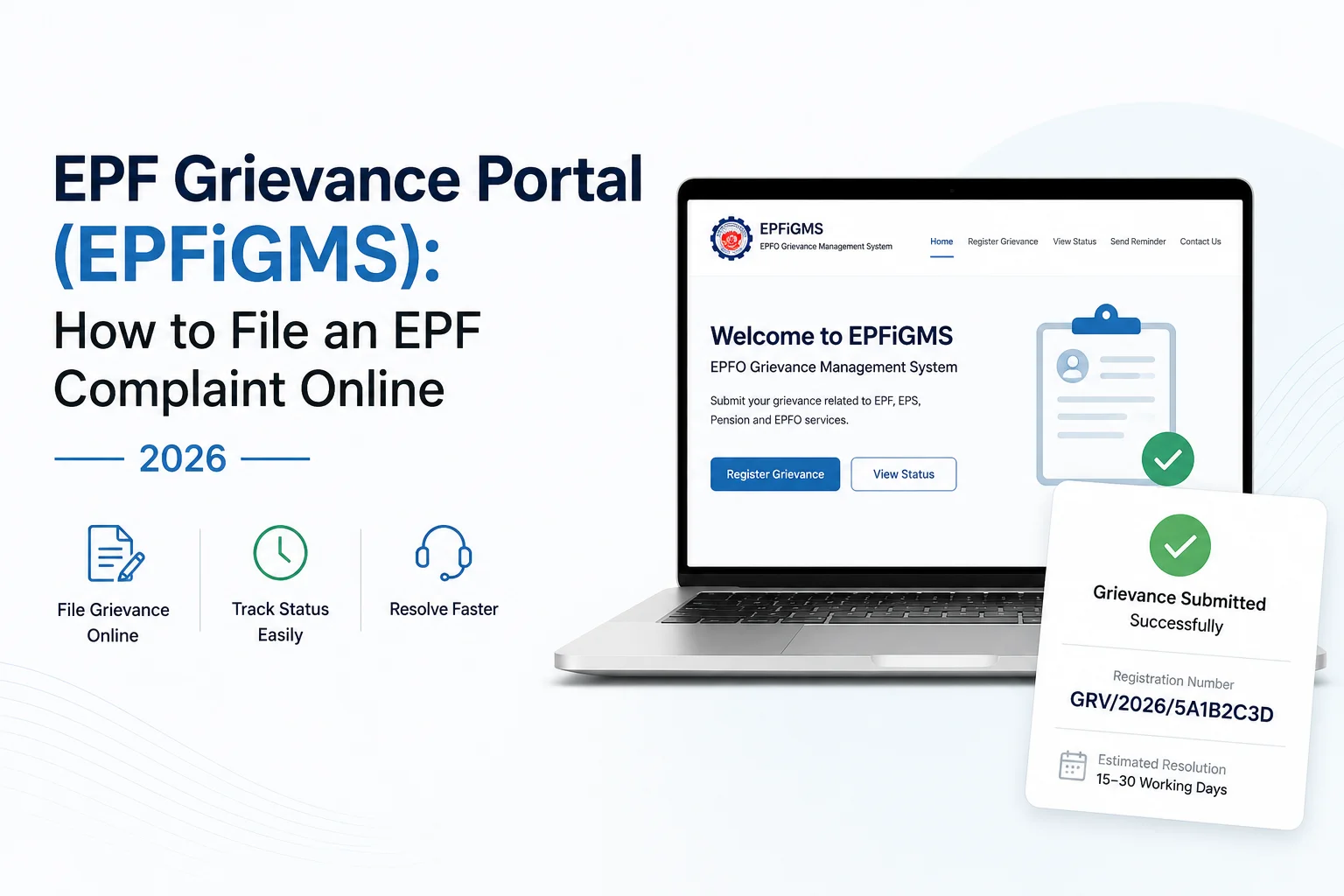
If your EPF claim is delayed, your transfer is stuck, your pension details are wrong, or EPFO needs to review your case, you can raise it officially through the EPF i-Grievance Management System (EPFiGMS) at epfigms.gov.in.
EPFiGMS is EPFO's official online grievance system. Once you submit a complaint, it's automatically routed to the correct office among EPFO's 135 field offices based on your UAN, PPO, or establishment number — you don't need to know which regional office handles your case. The portal is also accessible through the UMANG mobile app under EPFO Services, if you'd rather file from your phone.
This guide covers when to file a grievance, how to pick the right category, the exact filing steps, how long the resolution actually takes, and what to do if EPFO doesn't respond in time.
Quick Answer
File through EPFiGMS when your issue needs EPFO to investigate, verify, or correct something. Log in with your UAN, PPO, or establishment number, complete OTP verification, select the correct grievance category, describe the issue with reference numbers, upload PDF supporting documents, and submit. EPFO's general benchmark is 15–30 working days to resolve a grievance; if it runs past that, use the portal's Send Reminder feature or escalate directly. Save your registration number — you'll need it for both.
Should You File a Grievance, or Wait?
Not every EPF issue needs a grievance. Some are still inside normal processing time, or waiting on your employer, not EPFO.
| Situation | File a Grievance? |
|---|---|
| Claim submitted recently, within 15–30 working days | No — wait |
| Claim pending beyond 30 working days with no status update | Yes |
| The employer hasn't approved your claim yet | No — resolve with the employer firstThe The |
| EPFO record or account detail is factually incorrect | Yes |
| Pension (EPS) discrepancy | Yes |
| Employer contribution dispute | Yes |
| Death claim verification is stuck | Yes |
| You just want to check the claim status | No — use View Status, not a new grievance |
If your claim is stuck on the employer's end, resolve that first. EPFiGMS can't act on approvals your employer hasn't given.
Every EPF delay has a different cause. Before filing a grievance, let an expert review your claim, documents, and status. You'll get clear guidance on the next steps, helping you avoid unnecessary delays and improve your chances of a quicker resolution.
Before You File, Have This Ready
| Have Ready | Needed For |
|---|---|
| UAN / PPO / Establishment number | Login and case identification |
| Registered mobile number | OTP verification |
| Claim ID or reference number | Linking your complaint to an existing case |
| Employer name and establishment details | Employer-related or contribution disputes |
| Supporting documents (PDF) | Speeding up verification |
| Error screenshots, if applicable | Technical or portal-display issues |
Match your document to your issue:
| Issue Type | Bring This |
|---|---|
| Withdrawal delay | Claim ID and submission date |
| Transfer issue | Transfer reference number |
| KYC mismatch | Aadhaar and PAN details |
| Pension issue | PPO number |
| Death claim | Death certificate and nominee proof |
Not sure of your UAN or need to reset your password first? See our UAN password reset guide
Choose the Correct Grievance Category
EPFiGMS routes your case based on category, so pick the one that matches the cause, not just the symptom. The portal's actual category list includes:
| Your Problem | Select This Category |
|---|---|
| PF withdrawal or final settlement delay | Final Settlement / Withdrawal of EPF |
| PF transfer stuck between employers | Transfer of PF Accumulation |
| Pension settlement issue | Final Settlement of Pension |
| Balance is not reflecting correctly | PF Balance Queries |
| EPS certificate was not issued | EPS Certificate |
| Cheque returned, lost, or misplaced | Cheque Returned/Misplaced |
| Insurance benefit not received | Payment of Insurance Benefit |
| Passbook or PF slip issue | Issue of PF Balance/Slip |
| KYC mismatch blocking a claim | KYC |
| Employer not remitting contributions | Employer Related |
| Death claim verification | Death Claim Related |
| Anything else specific to your case | Any Other Concern |
Picking an unrelated category just because it "sounds close" is one of the most common reasons grievances sit unresolved longer than they should — it sends your case to the wrong desk first.
How to File an EPF Grievance Online: Step-by-Step
Step 1: Open the Grievance Portal
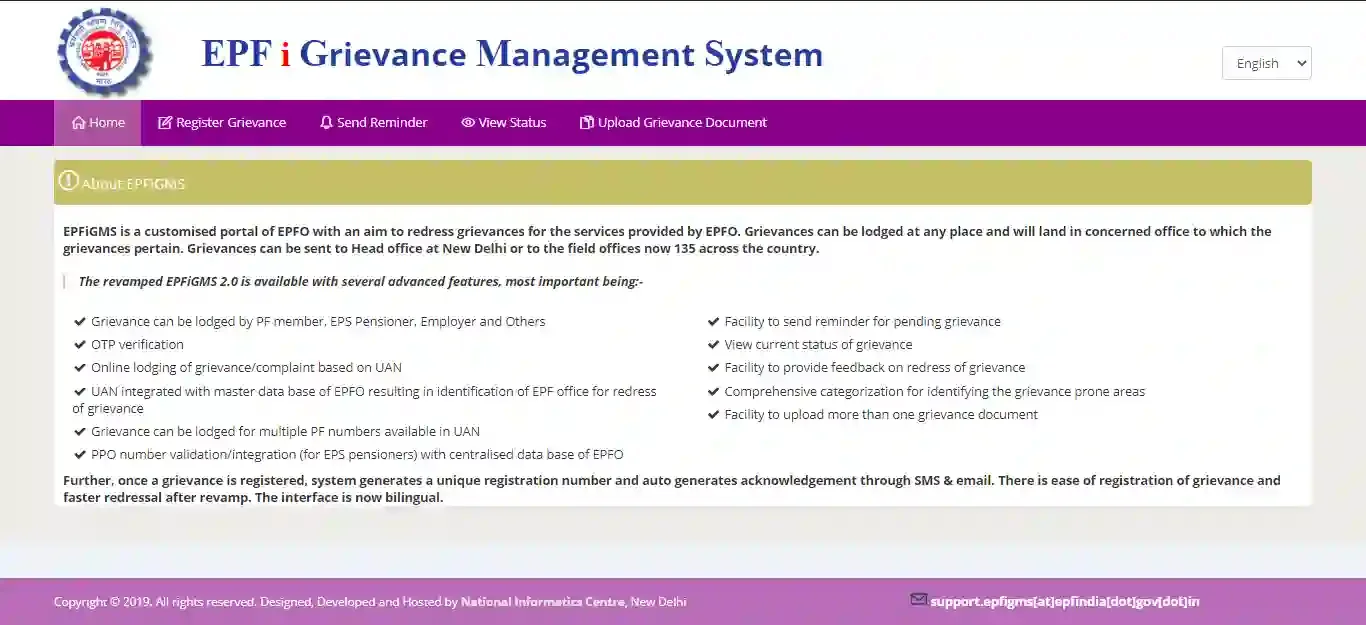
Go to epfigms.gov.in and click Register Grievance.
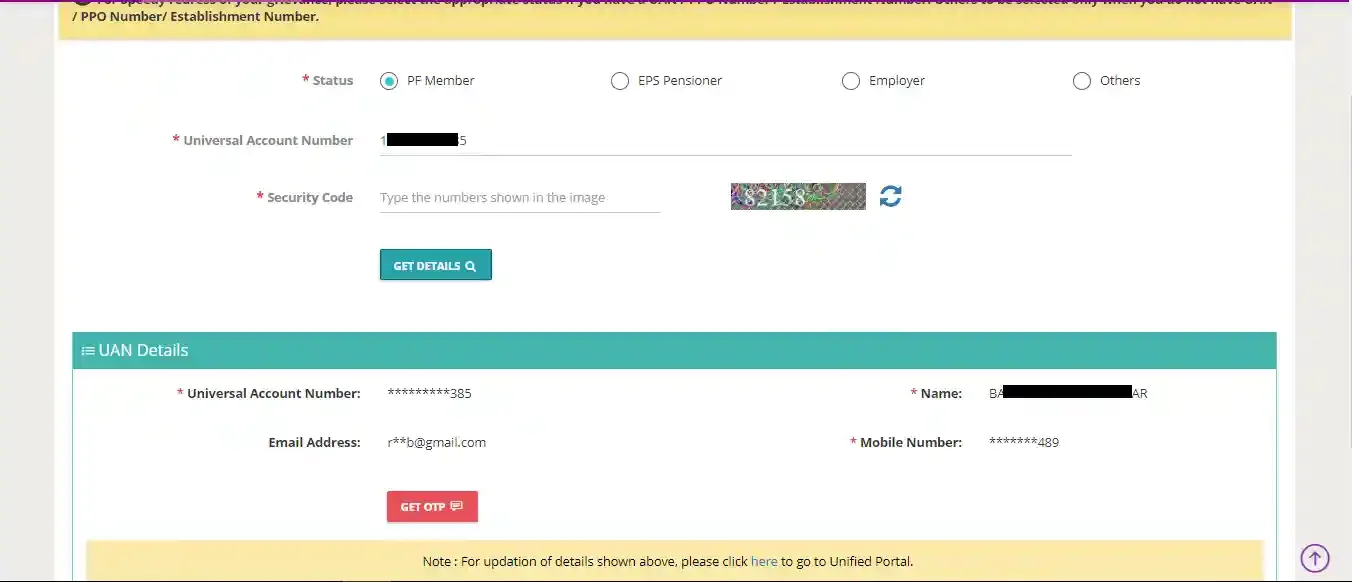
Step 2: Select Your User Type
Choose the option that applies to you:
- PF Member
- EPS Pensioner
- Employer
- Others (only if you have no UAN, PPO, or establishment number)
Step 3: Enter Your UAN, PPO, or Establishment Number
Enter the identifier for your user type plus the security code, then click Get Details to fetch your account information.
Step 4: Complete OTP Verification
An OTP is sent to your EPFO-registered mobile number. Enter it to authenticate.
Step 5: Select the Relevant PF Account
If multiple PF numbers are linked to your UAN, choose the one tied to your grievance.
Step 6: Choose the Grievance Category
Select from the category list above — match the root cause, not the symptom.
Step 7: Describe the Problem Clearly
Include what happened, when it happened, and any reference numbers. Keep it factual — long, emotional descriptions don't speed up review, specific ones do.
Step 8: Upload Supporting Documents
Attach proof: claim acknowledgements, error screenshots, employer correspondence, and identity documents. Use PDF format — it's what the portal reliably accepts and processes fastest; check the file-size limit shown on the upload screen itself, as it can vary by session. Label files clearly (e.g., ClaimForm_Withdrawal.pdf) and avoid password-protected files.
Step 9: Review Everything Before Submitting
Double-check your UAN, category, reference numbers, attachments, and contact details. Once submitted, grievances generally cannot be edited — catch mistakes now.
Step 10: Submit and Save Your Registration Number
On successful submission, EPFiGMS generates a unique grievance registration number, sent to you by SMS and email. This number is required for tracking status and sending reminders — save it somewhere you won't lose it.
How Long Does Resolution Take — and What If It Doesn't Happen?
EPFO's general benchmark, per its Citizens' Charter, is 15–30 working days, depending on how much verification your case needs. Simple KYC or balance queries tend to resolve faster; employer-contribution disputes or multi-office transfers take longer.
If your grievance runs past that window:
Level 1 — Send Reminder. Log back into EPFiGMS, go to Send Reminder, and enter your registration number with a short follow-up message. This flags your case to the assigned office directly.
Level 2 — Escalate. If there's still no movement, email or call the Regional PF Commissioner (RPFC) listed on your original acknowledgment. For a broader escalation, contact:
- EPFO Helpdesk: [email protected]
- Toll-free helpline: 1800-118-005
Filing a second grievance for the same issue doesn't speed anything up — it usually just creates duplicate tracking and confuses the review. One well-documented grievance, followed by a reminder, is the faster path.
Delays beyond the standard timeline often point to an underlying issue—not just slow processing. Get your case reviewed by an EPF expert to identify the bottleneck and avoid unnecessary back-and-forth with EPFO.
How to Write a Grievance EPFO Will Actually Act On
A tight, structured complaint gets reviewed faster than a long one. Use this order:
Problem → what happened, in one or two sentences
Evidence → claim ID, dates, transaction references, attached documents
Requested Action → exactly what you want EPFO to verify, correct, or release
Example
| Weak | Strong |
|---|---|
| "My PF is not working. Please help." | "My online claim (Claim ID XXXXXXX) was submitted on 12/05/2026. It has been pending for 35 working days, past the normal processing window. Kindly review the claim status and update it." |
Template
My UAN is __________.
My claim/reference number is __________.
I submitted my application on __________.
The issue is __________.
I have attached the relevant supporting documents.
Kindly review the matter and take the necessary action.
Before submitting, confirm your description includes: UAN, claim/reference number, relevant dates, supporting documents, and a clear, specific request.
Common Mistakes That Delay Resolution
| Mistake | Impact |
|---|---|
| Wrong grievance category | The case was routed to the wrong desk first, adding days |
| Filing before the 15–30 day window has passed | No additional action taken — you're told to wait |
| Missing claim or reference numbers | Harder for EPFO to locate and verify your case |
| No supporting documents attached | Slower investigation, more back-and-forth requests |
| Filing duplicate grievances for one issue | Splits tracking, confuses review, doesn't speed anything up |
| Non-PDF or password-protected uploads | Document rejected or ignored during review |
What Happens After You Submit
Submission → Acknowledgement generated (SMS + email) → Auto-routed to the correct EPFO office based on UAN/PPO/establishment → Reviewed and verified → Response issued, viewable under View Status
Keep your registration number — you'll need it to check status, send a reminder, or reference the case if you escalate later.
Frequently Asked Questions
Is the EPF Grievance Portal free?
Yes. EPFiGMS is an official EPFO service — there's no fee to file a grievance.
Who can file an EPF grievance?
PF members, EPS pensioners, employers, and eligible nominees, using UAN, PPO, or establishment number, respectively.
Can I file without a UAN?
Yes, under the "Others" category — but this applies only if you have no UAN, PPO, or establishment number at all.
How long does EPFO take to resolve a grievance?
Generally, 15–30 working days, depending on complexity, per EPFO's Citizens' Charter. Beyond that, use Send Reminder or escalate to your RPFC.
Can I file through the UMANG app instead of the website?
Yes. EPFiGMS is integrated into UMANG under EPFO Services — the process mirrors the web portal.
Can I edit a grievance after submitting it?
No, generally not. Review every field carefully before you hit submit.
Can I send a reminder if there's no response?
Yes — the Send Reminder feature is built into the portal and only needs your registration number.
Is UMANG the same as EPFiGMS?
No. UMANG is a multi-service government app; EPFiGMS is EPFO's dedicated grievance system, accessible both as a standalone portal and inside UMANG.
What file format should I use for documents?
PDF is the accepted and most reliable format on EPFiGMS. Confirm the exact size limit on the upload screen, as it can vary.
Can I check my grievance status online?
Yes, via View Status using your registration number and registered mobile/email, with OTP verification.
What if I selected the wrong category?
You generally can't change it post-submission. If it's clearly misrouted, use Send Reminder to flag the error, or escalate to your RPFC for a manual correction.
Can I file from outside India?
Yes, as long as you can complete OTP verification and have your account details on hand.
Still stuck with your EPF issue? Get your case reviewed by an EPF expert. We'll identify what's causing the delay, explain your options, and help you take the right next step—so you don't waste time filing unnecessary grievances or chasing the wrong office.
PF Interest Loss Calculator
See how much interest you lose every month your claim sits unresolved.